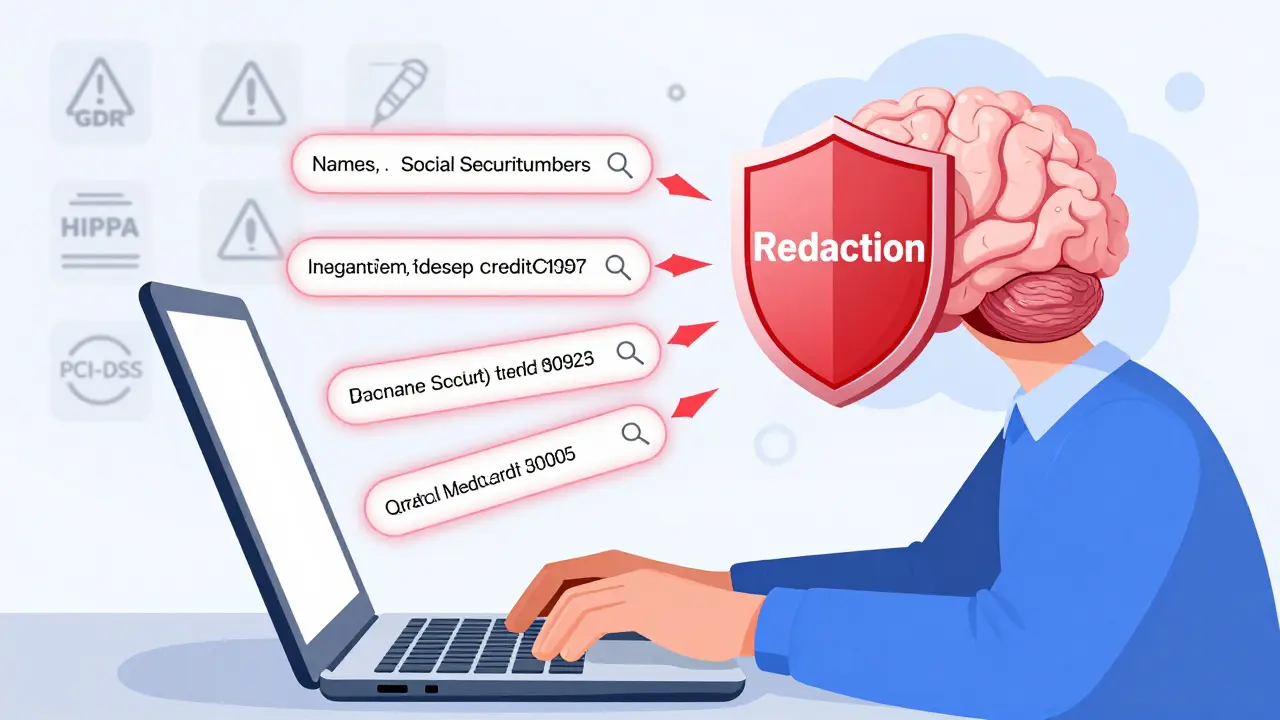
When you type a question into an AI chatbot, you might think it’s just answering you. But what you’re really doing is handing over data-sometimes your customer’s address, a patient’s medical ID, or a bank account number-and that data could be stored, learned from, or leaked. Data privacy in prompts isn’t optional anymore. It’s the first line of defense against compliance disasters and reputational damage. If you’re using AI to process documents, answer customer questions, or summarize reports, you’re already at risk. The question isn’t whether you should care-it’s whether you’re doing it right.
Why Your Prompts Are a Data Leak Waiting to Happen
Most large language models (LLMs) are trained on massive public datasets, but they also retain traces of everything you feed them. Research shows that 8.5% of prompts submitted to AI tools already contain sensitive data. That means nearly one in twelve conversations includes something like a Social Security number, a credit card, or a patient’s diagnosis. And once it’s sent to an external AI service, you lose control. Some models log inputs for improvement. Others may accidentally reproduce them in responses. A single unredacted prompt could violate HIPAA, GDPR, or PCI-DSS-and trigger fines, lawsuits, or loss of customer trust.What Kind of Data Needs Redacting?
Not all sensitive data looks obvious. Here’s what you should be scanning for in every prompt:- Personal names, job titles, or roles
- Physical addresses, ZIP codes, or geographic identifiers
- Email addresses, phone numbers, and fax numbers
- Financial data: account numbers, credit card numbers, bank routing codes
- Medical records: patient IDs, diagnoses, treatment codes
- Government identifiers: Social Security numbers, tax IDs, driver’s license numbers
- Dates of birth, ages, or gender markers
- Company-specific data: internal project codes, employee IDs, contract numbers
- Monetary amounts, share counts, or financial projections
Three Ways to Detect Sensitive Data Before It’s Sent
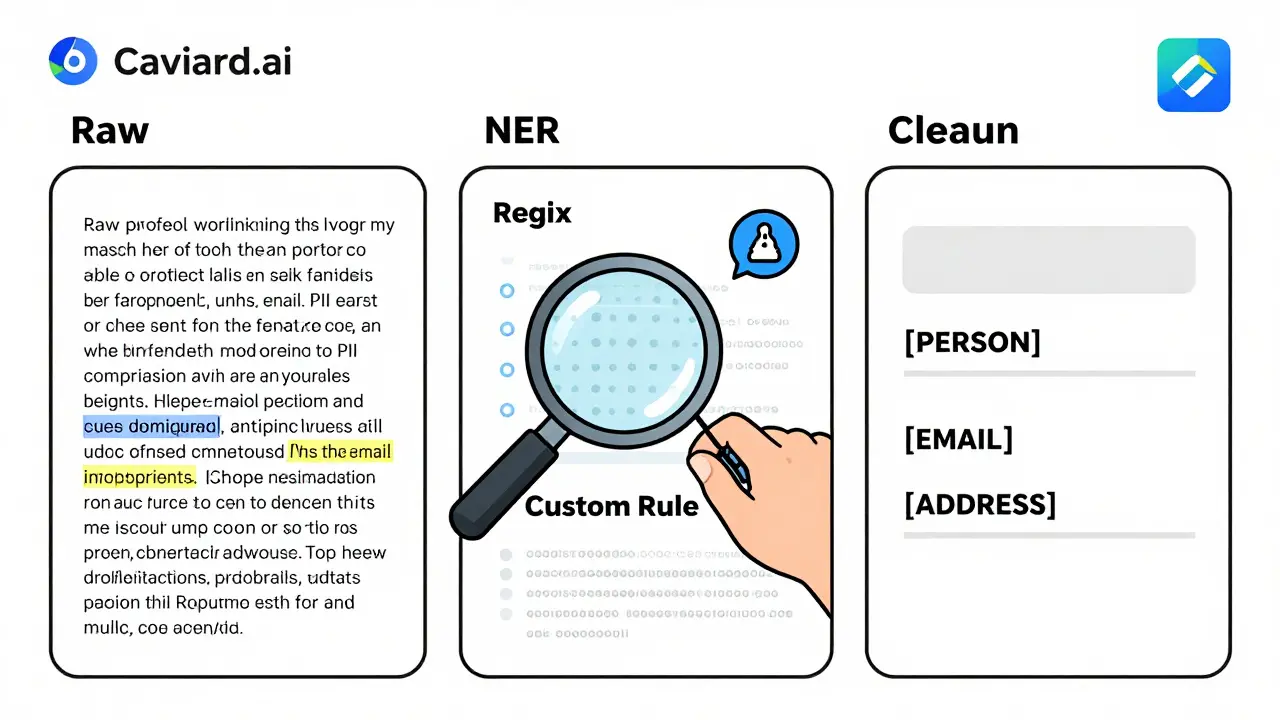
You can’t protect what you don’t see. Effective redaction starts with detection. Three methods work best together:- Named Entity Recognition (NER): This AI-powered technique scans text for patterns like person names, organizations, or locations. It doesn’t just look for keywords-it understands context. For example, it can tell that “Dr. Lisa Chen” is a person, not a product name.
- Regular Expressions (Regex): These are pattern-matching rules for structured data. You can set up rules to catch credit card numbers (16 digits), phone numbers (10-digit format), or email addresses (anything with @ and .com). Regex catches what NER misses.
- Custom Rules: Every business has unique data. Maybe you use internal IDs like “CUST-2026-8812” or project codes like “Phoenix-Alpha.” Custom rules let you define those patterns so they’re automatically flagged.
How to Write Redaction Prompts That Actually Work
You can’t just say, “Redact the personal info.” That’s like telling a security guard to “watch for bad guys” without saying what they look like. Here’s what works:Bad prompt: “Remove any personal information from this email.”
Good prompt: “Act as a data privacy specialist. Identify and redact all personally identifiable information (PII) in the following email, including names, addresses, phone numbers, and email addresses. Replace each with a placeholder: [PERSON], [ADDRESS], [PHONE], [EMAIL]. Do not change anything else.”
This version tells the AI who to act as, what to find, how to replace it, and what to leave alone. Studies show prompts like this achieve 90-95% accuracy.
Even better: use few-shot prompting. Give the AI 2-3 examples of redacted text. For instance:
- Original: “John Smith, 123 Main St, (555) 123-4567, [email protected]”
- Redacted: “[PERSON], [ADDRESS], [PHONE], [EMAIL]”
Then say: “Do the same for this next message.” This trains the model on your specific style-and it learns faster than any rule-based system.
Also, tailor your prompts by document type:
- Emails: Focus on signatures, headers, and quoted replies-those are PII hotspots.
- Reports: Watch for author names, client case studies, and data sources.
- Forms: Flag fields like “Full Name,” “SSN,” or “Billing Address” explicitly.
Keep a running log of which prompts work best. Version them. Review them monthly. Build a team playbook.
Pseudonymization: The Smart Alternative to Redaction
Simply replacing names with “[REDACTED]” breaks context. If you redact “Sarah Johnson” as “[REDACTED]” in a customer service log, the AI won’t know if Sarah is the buyer, the support rep, or the vendor. That’s why smart teams use pseudonymization.Instead of deleting data, it replaces it with temporary, consistent placeholders:
- “John Doe” → [PERSON_1]
- “12345” (order ID) → [ORDER_NUMBER_1]
- “[email protected]” → [EMAIL_1]
The AI sees structure. It understands relationships. It can answer: “What did [PERSON_1] order?” without ever knowing John Doe’s real name. After the AI responds, the system reverses the mapping before sending the reply back to the user. The customer gets “John Doe ordered 500 units,” but the AI never saw the real data.
This method keeps responses accurate while keeping data private. It’s used by AWS Contact Lens and other enterprise tools. And it works without slowing down the conversation.
Automated Tools vs. Manual Redaction
You don’t have to choose between human judgment and automation. The best approach uses both.Manual redaction gives you control. It’s ideal for one-off, high-stakes documents-like legal contracts or medical records-where context matters. A human can spot that “the 72-year-old in Room 304” is a patient, even if the name isn’t written.
Automated tools like Caviard.ai scan everything in real time. Installed as a Chrome extension, it detects 100+ types of PII before you even hit send. All processing happens in your browser-no data leaves your device. You can toggle between original and redacted text instantly. It’s perfect for high-volume workflows like customer support or document review.
Combine them: use automation for routine tasks, and keep manual review for edge cases. That’s how teams at banks, law firms, and healthcare providers do it.
Redaction vs. Masking: Know the Difference
Don’t confuse redaction with masking. They’re not the same.- Redaction permanently removes data. Once it’s gone, you can’t get it back. Use this for compliance, audits, or permanent records.
- Masking replaces data with fake but realistic values-like turning “555-123-4567” into “555-999-9999.” This keeps the format intact so systems still work. Use it for testing, development, or training AI models.
For prompts, you want redaction or pseudonymization-not masking. Masking doesn’t protect privacy; it just hides data temporarily. If the AI sees fake data, it might learn patterns that still point back to real people.
Real-World Impact: What Happens When You Skip This Step?
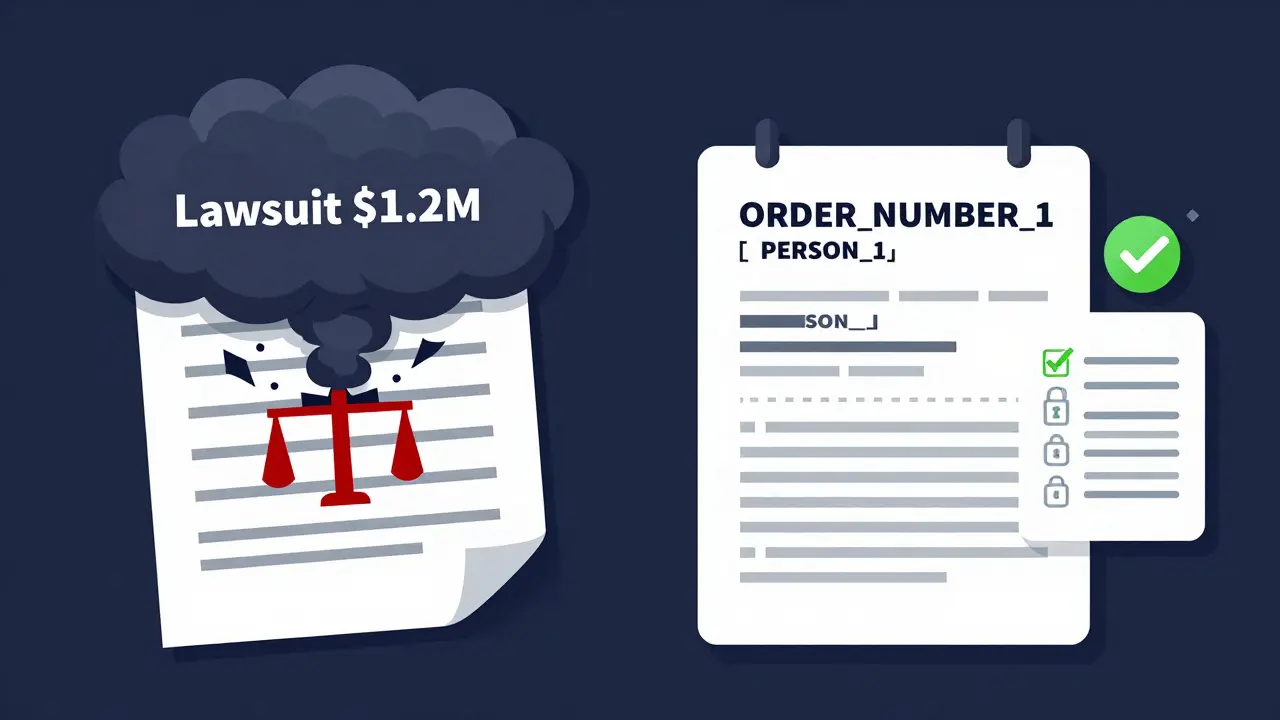
In 2025, a mid-sized law firm in Ohio used AI to summarize client emails. They didn’t redact. One prompt included a client’s full name, SSN, and medical condition. The AI output included a phrase: “The client with SSN 123-45-6789 has been diagnosed with stage 3 cancer.” That response was logged. A third-party vendor accessed the logs. The client sued. The firm paid $1.2 million in settlements.That’s not hypothetical. It happened. And it could happen to you.
Start Here: Your 5-Step Redaction Checklist
You don’t need a team of engineers to get started. Just follow this:- Identify your high-risk data types-what’s in your documents? Make a list.
- Choose your detection tools-start with regex for numbers, NER for names, and one custom rule for your unique IDs.
- Build a template prompt-use the “Act as a data privacy specialist” formula. Test it on 10 real documents.
- Try pseudonymization-if your AI tool allows it, use placeholders instead of [REDACTED].
- Deploy a browser extension-Caviard.ai or similar tools give you instant protection without code.
Track your accuracy. If a redaction misses a phone number, update the rule. If a prompt confuses a name with a product, tweak the instructions. This isn’t a one-time fix. It’s a habit.
Final Thought: Privacy Isn’t a Feature-It’s a Requirement
AI isn’t magic. It doesn’t know what’s private. It doesn’t care. If you don’t protect the data before it enters the model, you’re asking for trouble. Whether you’re a small business using ChatGPT for customer service or a hospital automating intake forms, your prompts are data pipelines. And pipelines leak.The best teams don’t wait for a breach to act. They build redaction into their workflow the way they build firewalls. It’s not about being paranoid. It’s about being responsible.
What happens if I don’t redact data in my AI prompts?
If you don’t redact, sensitive data like names, addresses, or medical records can be stored, learned, or leaked by the AI system. This can violate laws like HIPAA, GDPR, or PCI-DSS, leading to fines, lawsuits, or loss of customer trust. Even one unredacted prompt can trigger a data breach investigation.
Can I trust AI tools to redact data on their own?
No. Most AI models aren’t designed to protect privacy-they’re designed to learn. Even tools that claim to auto-redact may miss context-specific data or retain inputs in logs. Always assume the AI will see everything you send. You must actively redact before submission.
Is masking the same as redacting?
No. Masking replaces real data with fake but realistic values (like turning a credit card number into 4111-1111-1111-1111). It’s useful for testing but doesn’t remove privacy risk. Redaction removes data permanently or replaces it with non-identifiable placeholders. For prompts, redaction or pseudonymization is safer.
What’s the easiest way to start protecting data in prompts?
Install a browser extension like Caviard.ai. It automatically detects and masks PII in real time before you send prompts to ChatGPT or other AI tools. All processing happens in your browser-no data leaves your device. It’s free, instant, and requires no technical setup.
Do I need to train my team to write better prompts?
Yes. Vague instructions like “remove personal info” fail 70% of the time. Train your team to use structured prompts: specify the role (e.g., “Act as a data privacy specialist”), list exact data types to redact, and define replacement formats. Keep a shared document of proven prompts for emails, forms, and reports. Review them quarterly.
Kristina Kalolo
March 4, 2026 AT 20:05Just spent an hour redacting client emails before feeding them into ChatGPT. It’s exhausting. I wish there was a better way than manually hunting down every phone number and ZIP code. This post nailed why we need automation-no one’s got time for this.
ravi kumar
March 4, 2026 AT 21:47As someone from India working with EU clients, I’ve seen too many teams ignore this. GDPR isn’t a suggestion. One misplaced SSN in a prompt and your whole team gets fined. Start with regex for numbers-it’s simple, fast, and catches 80% of issues. Then layer in NER.
Megan Blakeman
March 5, 2026 AT 18:54Oh my gosh, this is so true!! I just had a client cry because their daughter’s medical record got spit back out in an AI response… I mean, how is that even possible?? We thought we were being careful!!
Now I use pseudonymization-[PERSON_1], [MED_ID_1]-and it’s a game changer. The AI still understands context, and I sleep at night. Also, PLEASE use the ‘Act as a data privacy specialist’ prompt. It’s not just a suggestion-it’s a lifeline.
And yes, Caviard.ai is magic. Installed it last week. No more panic before hitting send. I’m not even joking-I cried when it flagged a hidden phone number in a signature. I didn’t even see it.
Also, team, stop using masking. It’s not protection. It’s theater. Redaction or pseudonymization. No exceptions. We’re not playing pretend here.
And if you think your intern can handle this manually? Please. They’re 19. They think ‘redact’ means delete the whole paragraph. We’ve all been there. But now? We have tools. Use them.
Also, train your team. Make it a checklist. Like brushing teeth. Do it every time. No excuses.
I’m so glad someone finally wrote this. Thank you.
Akhil Bellam
March 7, 2026 AT 02:18Oh, so we’re just now realizing that AI doesn’t have a ‘privacy’ setting? Shocking. I’ve been screaming this since 2022. You people are using LLMs like they’re toaster ovens-just toss in whatever and hope it doesn’t explode.
And let’s not pretend regex is ‘advanced.’ It’s BASIC. If you’re not using it, you’re not serious. And pseudonymization? That’s not ‘smart’-it’s the bare minimum. If you’re still using [REDACTED], you’re making your AI dumber than a brick.
And don’t get me started on ‘manual review.’ That’s a luxury for startups with 5 employees. Real enterprises automate. Or they get sued. Simple.
Also, Caviard.ai? Cute. But if you’re relying on a Chrome extension instead of an API-level integration, you’re still playing with fire. Build it into your pipeline. Or go back to paper forms.
Amber Swartz
March 7, 2026 AT 10:45I just found out my boss sent a prompt with my full name, SSN, AND my therapist’s name… and the AI repeated it back in a summary.
He didn’t even apologize. Just said, ‘Oh, I thought it was safe.’
Now I’m filing a complaint. With HR. With legal. With the state attorney general.
This isn’t negligence. This is betrayal.
I’m not even mad anymore. I’m just… done.
Robert Byrne
March 8, 2026 AT 09:47Stop. Just stop. This isn’t a ‘tip’-this is a legal requirement. If you’re handling any PII and not redacting, you’re already in violation. GDPR doesn’t care if you’re ‘just testing.’ HIPAA doesn’t care if you ‘didn’t mean to.’
Regex + NER + custom rules. That’s the holy trinity. No exceptions.
And pseudonymization? Yes. But only if you have a reversible mapping system. Otherwise you’re just making your data useless.
Also, Caviard.ai? Good. But it’s a band-aid. Fix the pipeline. Train your engineers. Audit your prompts. Document everything. Or you’re asking for a $1.2M lawsuit.
You’re not ‘being careful.’ You’re being lazy. Fix it.
Tia Muzdalifah
March 9, 2026 AT 23:23omg i just realized i’ve been sending client names in prompts for months 😭
i thought ai was like… magic and just forgot stuff??
but nooo, it remembers everything. like a gossiping neighbor.
just installed caviard. it’s like a tiny bodyguard for my messages. i love it.
also, pseudonymization is so much easier than [REDACTED]. now the ai knows [person_1] is the same person across 5 emails. mind blown.
Zoe Hill
March 11, 2026 AT 04:48Thank you for writing this. I’ve been so scared to use AI at work because I didn’t know how to protect data… I thought I was being careful, but I had no idea how much was being stored.
Just tried the ‘Act as a data privacy specialist’ prompt and it worked PERFECTLY. My first redacted email came out clean. I cried. Seriously.
Also, pseudonymization is genius. I didn’t even know that was a thing. Now I feel like I can actually use AI without feeling guilty.
Everyone-please, just start with one rule. One. Then build from there. You got this.
Albert Navat
March 11, 2026 AT 13:31Look, if you’re still manually redacting, you’re operating at 2018 tech levels. This isn’t about ‘tools’-it’s about architectural design. You need a data governance layer between your users and the LLM API. Not a Chrome extension.
Use a proxy service that intercepts, redacts, and logs all prompts. Add schema validation. Enforce pseudonymization at the transport layer. Log every redaction event with a hash.
And stop calling it ‘redaction.’ It’s data sanitization. If you’re not using FIPS 140-2 compliant algorithms for masking, you’re not even in the game.
Also, who’s auditing your custom rules? How do you version them? Do you have CI/CD for prompt templates? No? Then you’re not ready.
This isn’t a blog post. It’s a DevOps pipeline. Build it right-or get out.