Imagine watching a video where you can ask the system to pause and explain exactly what is happening on screen, or reading a complex chart that instantly converts into a spoken summary tailored to your needs. This isn't science fiction anymore. Multimodal generative AI is advanced artificial intelligence systems that process and generate multiple forms of data simultaneously-including text, images, audio, and video-to create more accessible digital experiences for users with diverse abilities and preferences. It is fundamentally changing how we interact with technology by breaking down barriers for people with visual, hearing, and cognitive impairments.
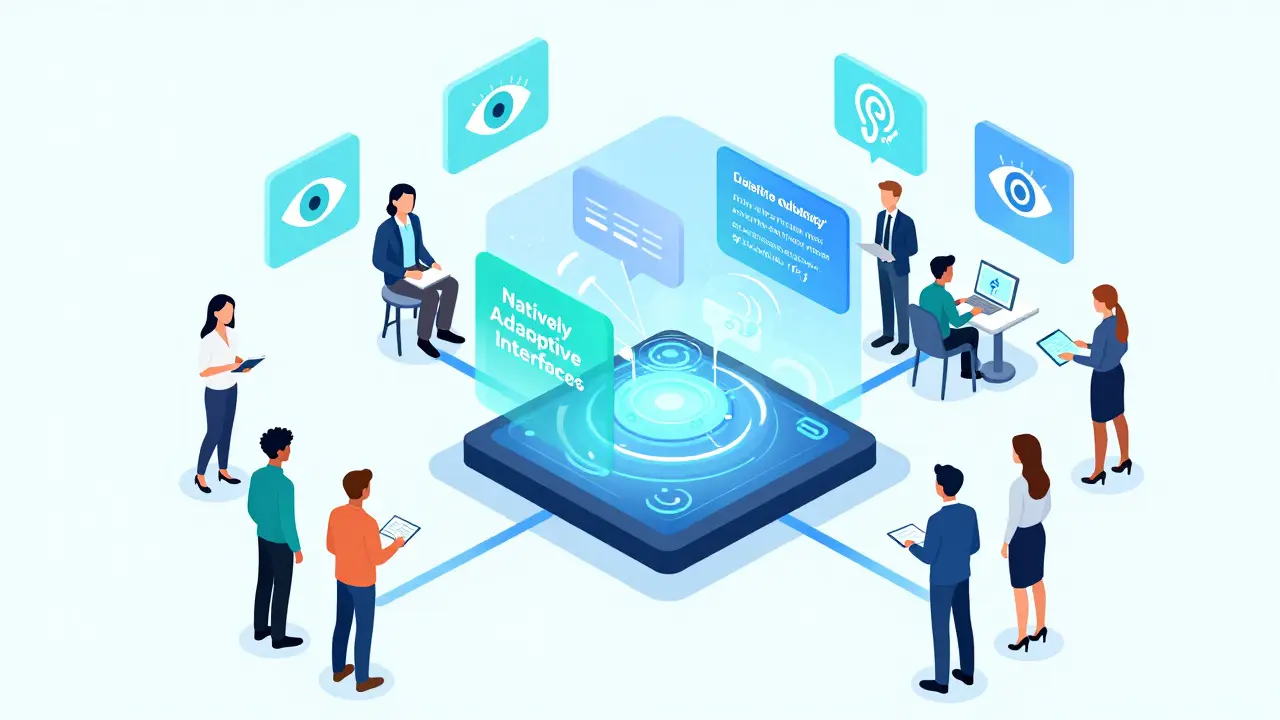
For decades, accessibility tools were often bolted onto existing interfaces as an afterthought. You had separate screen readers, manual captioning services, and static alt-text fields. The problem was that these solutions were reactive and limited. They required significant human effort and couldn't adapt to dynamic content in real-time. Now, with multimodal AI, the technology itself becomes natively adaptive. It doesn't just convert one format to another; it understands context, intent, and user preference, creating a fluid experience that adjusts on the fly.
The Shift from Reactive Tools to Natively Adaptive Interfaces
The biggest leap forward comes from moving away from "one-size-fits-all" designs toward what researchers call Natively Adaptive Interfaces (NAI). Developed through research initiatives at major tech companies like Google, this framework replaces static navigation menus with dynamic, agent-driven modules. Instead of forcing a user to hunt through settings to enable high contrast or larger text, the interface anticipates needs based on behavior and explicit requests.
This approach relies on a central orchestrator model. Think of it as a strategic manager behind the scenes. This central agent maintains shared context-understanding the document, the video, or the webpage-and delegates specialized tasks to expert sub-agents. For example, if a user asks, "What color is the shirt the person on the left is wearing?" the orchestrator directs a vision specialist to analyze the frame and a language specialist to formulate the answer. This multi-system agent approach eliminates the need for users to navigate complex menu hierarchies to find assistance. It turns the digital environment into an active collaborator rather than a passive tool.
Google has identified this shift as critical to closing the "accessibility gap"-the frustrating delay between the release of a new feature and the creation of an assistive layer for it. By making accessibility native to the interface, this delay shrinks significantly. The technology ensures that when new content appears, accessible alternatives are generated almost instantaneously, providing equitable access from day one.
Real-Time Narration and Audio Descriptions
One of the most impactful applications of multimodal AI is in video accessibility. Traditional audio descriptions are pre-recorded and fixed. If a blind user wants more detail about a specific scene, they are stuck with what was provided. Multimodal generative AI changes this entirely.
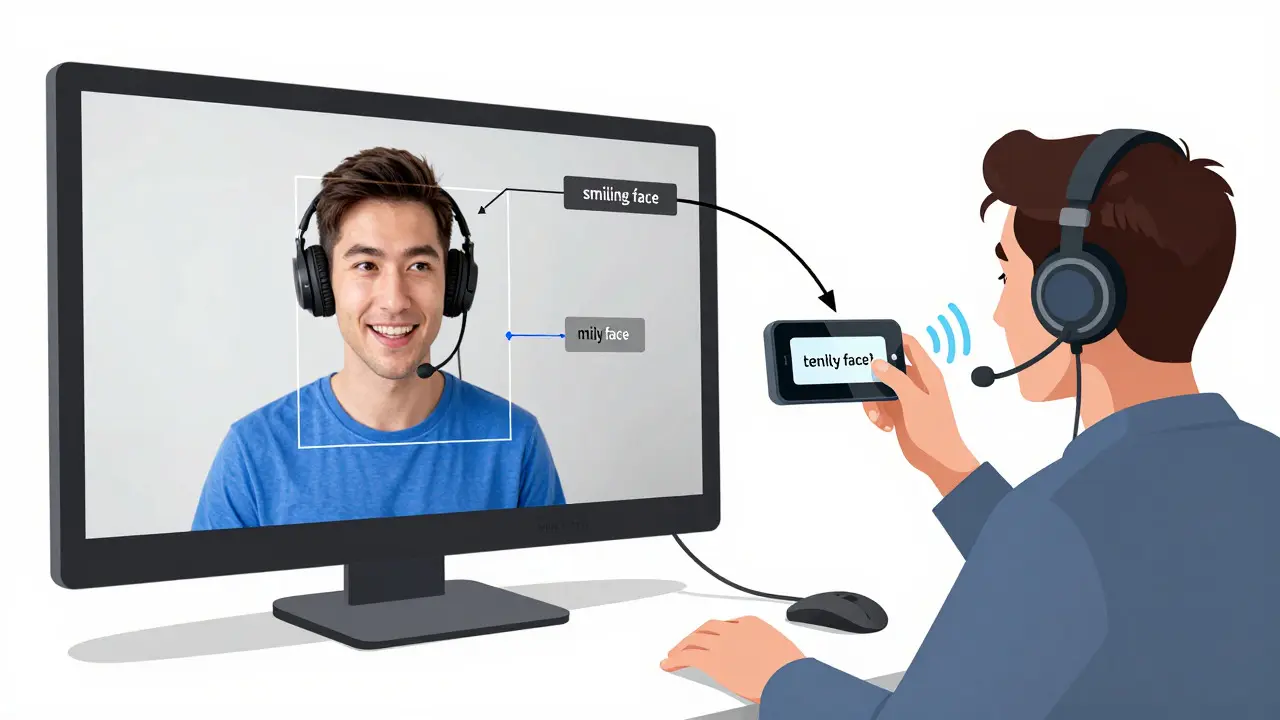
Consider the Multimodal Accessible Video Prototype (MAVP), built using models like Google's Gemini. This system transforms video playback into an interactive, user-led dialogue. A user can verbally adjust the level of descriptive detail in real-time. They might say, "Pause and describe the background," or ask specific questions like, "Is the character smiling?" The system responds immediately.
How does this work so fast? It uses a two-stage pipeline. First, the system generates a "dense index" of visual descriptions offline, analyzing every frame for objects, actions, and spatial relationships. During playback, it uses retrieval-augmented generation (RAG) to pull relevant details from this index and synthesize a natural-sounding response. This provides both comprehensive coverage and low-latency interaction. It reduces cognitive load because the user controls the flow of information, turning a passive viewing experience into an active exploration.
This capability extends beyond entertainment. In educational settings, students who are blind or have low vision can engage with video lectures on equal footing with their peers. They can query the visual content as it happens, ensuring they don't miss crucial diagrams or demonstrations that sighted students see automatically.
Dynamic Captions and Text Alternatives
Captioning has also evolved far beyond simple speech-to-text. While basic transcription exists, multimodal AI adds context and clarity. It can identify speakers, indicate sound effects (like [door creaks] or [music swells]), and even summarize long segments of dialogue for users who prefer concise information.
For individuals with hearing impairments, this means a richer understanding of the media. But it also helps those with auditory processing disorders or non-native speakers who benefit from seeing text alongside audio. The AI can simplify language in real-time, replacing jargon with plain English if requested. This flexibility ensures that information is accessible not just to those who cannot hear, but to anyone who struggles with auditory input.
In professional environments, this translates to better meeting notes and training materials. A single video recording can generate multiple versions: one with detailed technical captions, another with simplified summaries, and a third with full transcripts. This versatility saves time and resources while ensuring no stakeholder is left out due to communication barriers.
Bridging the Gap for Cognitive and Physical Disabilities
Accessibility isn't just about sight and sound. Multimodal AI significantly aids users with cognitive disabilities, such as dyslexia, ADHD, or autism spectrum disorder. These users often benefit from content that can be adapted to reduce clutter, highlight key points, or present information in different modalities.
For instance, a complex municipal website filled with dense text and charts can be transformed by AI into a simplified visual summary or an audio guide. S&P Global notes that integrating IoT devices and wearables with multimodal AI allows for holistic support. If a user with mobility issues struggles to navigate a physical space, an app using computer vision can provide turn-by-turn audio directions based on camera input. Similarly, for someone with anxiety, an AI companion could offer calming prompts or simplify overwhelming interfaces by hiding non-essential elements.
The recursive nature of AI-using its own results to improve future outputs-means these systems get better over time. They can uncover hidden usability gaps and propose design improvements that align with Web Content Accessibility Guidelines (WCAG). This automation makes it easier for organizations to scale accessibility efforts without relying solely on manual audits.
The Curb-Cut Effect: Benefits for Everyone
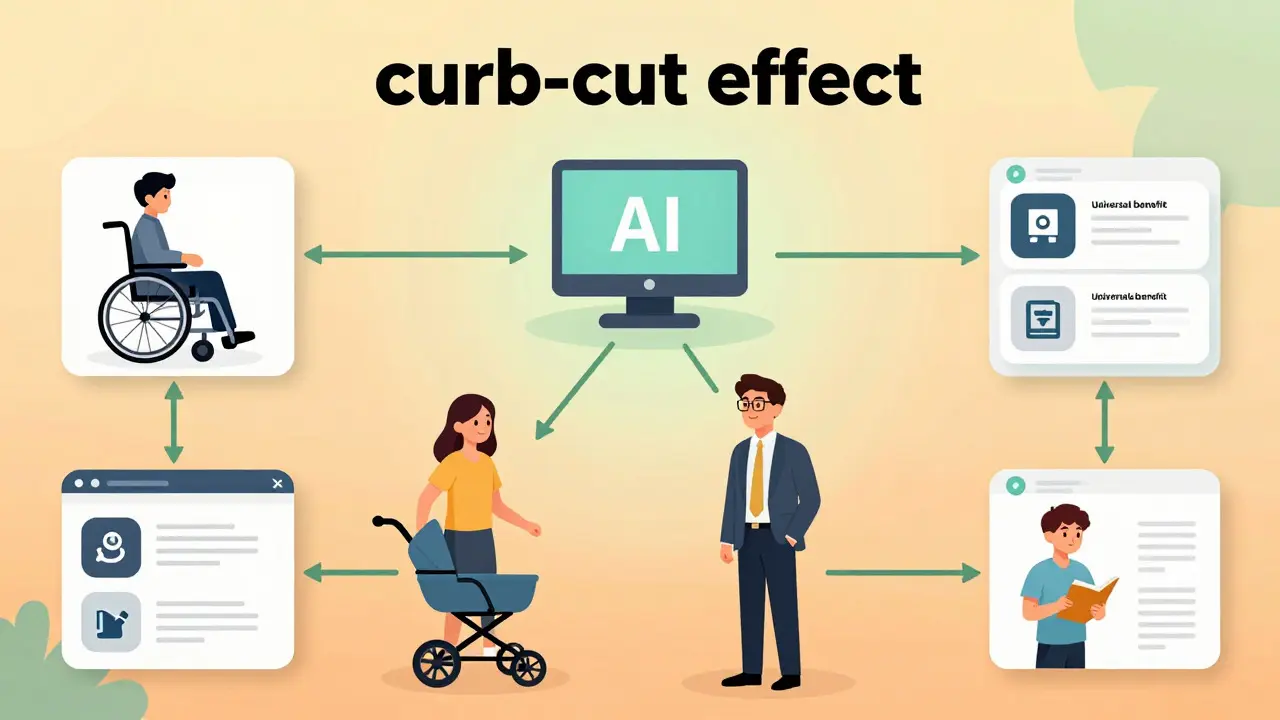
A fascinating phenomenon in accessibility design is the "curb-cut effect." Originally, sidewalk ramps were designed for wheelchair users. However, they ended up benefiting parents with strollers, travelers with luggage, and delivery workers with carts. Features designed for extreme constraints often create superior experiences for the general population.
Multimodal AI exhibits this effect strongly. Voice interfaces built for blind users are now widely used by sighted drivers multitasking behind the wheel. Synthesis tools designed to help those with learning disabilities parse information quickly are adopted by busy executives who need rapid summaries of long reports. AI-powered tutors created for deaf students generate custom learning journeys that enhance engagement for all learners.
This broader appeal drives adoption. Companies aren't just implementing these features for compliance; they are doing so because they improve overall user satisfaction and efficiency. When technology adapts to the individual, everyone wins. Microsoft's Copilot, for example, allows any user to request adaptations-whether simplifying a document or navigating a color-coded chart-making the tool more versatile and powerful for a wider audience.
Challenges and Considerations
Despite the promise, challenges remain. Accuracy is paramount. If an AI misidentifies a visual element or misinterprets spoken words, it can lead to confusion or frustration. Therefore, rigorous testing with diverse disability communities is essential. Organizations like the Rochester Institute of Technology's National Technical Institute for the Deaf (RIT/NTID), The Arc of the United States, and Team Gleason have partnered with tech giants to co-design these solutions. Their lived experiences ensure that the technology addresses real-world needs rather than theoretical assumptions.
Data privacy is another concern. Since multimodal AI processes personal interactions and potentially sensitive visual or audio data, robust security measures must be in place. Users need to trust that their queries and biometric data are handled securely. Transparency about how data is used and stored will be critical for widespread acceptance.
Additionally, there is a risk of over-reliance on AI. While automation speeds up accessibility, human oversight remains important for nuanced contexts. AI should augment human efforts, not replace them entirely. Developers must strike a balance between automated generation and manual review to maintain quality and empathy in digital experiences.
| Feature | Traditional Assistive Tech | Multimodal Generative AI |
|---|---|---|
| Adaptability | Static settings; requires manual configuration | Dynamic; adjusts in real-time based on context and user request |
| Content Generation | Limited to predefined formats (e.g., standard captions) | Generates diverse formats (audio, text, visuals) on demand |
| Interactivity | Passive consumption of accessible content | Active dialogue; users can query and customize details |
| Implementation Speed | Slow; often requires post-release development | Fast; near-instantaneous generation via API integration |
| User Control | Fixed options within the interface | Natural language commands for personalized adjustments |
Future Directions and Industry Adoption
We are currently witnessing the transition from prototype to production. Major players like Google and Microsoft are embedding these capabilities into their core platforms. As models become more efficient and accurate, we can expect multimodal AI to become a standard component of web browsers, operating systems, and enterprise software.
Research is focusing on enhancing "multimodal fluency"-the ability of AI to seamlessly switch between text, voice, and vision without losing context. Future iterations will likely include deeper situational awareness, allowing devices to understand not just what is on screen, but the physical environment around the user. Imagine glasses that describe your surroundings in real-time, integrated with a smartphone that summarizes news articles aloud during your commute.
For businesses, adopting these technologies early offers a competitive advantage. It demonstrates a commitment to inclusivity and opens up markets to millions of users previously underserved by digital products. Moreover, as regulations around digital accessibility tighten globally, having AI-driven solutions in place ensures compliance and reduces legal risk.
The path forward involves continued collaboration between technologists, designers, and disability advocates. By keeping the end-user at the center of development, we can ensure that multimodal generative AI delivers on its promise: a digital world where everyone has equal access to information, communication, and opportunity.
What is multimodal generative AI?
Multimodal generative AI refers to advanced artificial intelligence systems that can process and generate multiple types of data simultaneously, including text, images, audio, and video. Unlike traditional AI that handles one type of input, multimodal AI combines these inputs to create more context-aware and flexible outputs, enabling richer interactions and better accessibility solutions.
How does multimodal AI improve video accessibility?
It enables interactive audio descriptions where users can pause videos and ask specific questions about visual content, such as "What is the character wearing?" Systems like MAVP use retrieval-augmented generation to provide immediate, accurate responses, allowing blind or low-vision users to actively explore visual media rather than passively listening to pre-recorded tracks.
What is the "curb-cut effect" in AI accessibility?
The curb-cut effect describes how features designed for people with disabilities often benefit the general population. For example, voice interfaces originally built for blind users are now widely used by drivers multitasking. Similarly, AI summarization tools designed for learning disabilities help busy professionals process information faster.
Who are the key organizations driving multimodal AI accessibility?
Major technology companies like Google and Microsoft are leading development through frameworks like Natively Adaptive Interfaces and tools like Copilot. They collaborate closely with disability advocacy groups such as RIT/NTID, The Arc of the United States, and Team Gleason to ensure solutions meet real-world needs.
Can multimodal AI help users with cognitive disabilities?
Yes. It can simplify complex texts, highlight key information, and present data in preferred formats (e.g., converting dense charts into simple audio summaries). This adaptability reduces cognitive load and helps users with conditions like dyslexia or ADHD engage more effectively with digital content.
Quintin Franzese
August 14, 2026 AT 19:33So basically, we spent the last decade building walled gardens and now we’re using AI to pick the locks for people who can’t climb them.
It’s almost poetic in a dystopian sort of way. The "curb-cut effect" is real though. I use voice commands because my hands are full of coffee, not because I’m blind, but sure, let’s pretend it’s all about inclusivity and not just lazy UX design that finally got a patch.
Tamara Miller
August 15, 2026 AT 16:55Oh, please. Another tech bro utopia where an algorithm decides what you need to see or hear. It is absolutely terrifying how quickly we surrender our autonomy to these "natively adaptive interfaces." Who audits the auditor? Who checks the bias in the "dense index" of visual descriptions? Probably no one. Just trust the black box. Because nothing says "accessibility" like handing over your biometric data to a corporation that sells ads based on your blinking patterns. It is deeply cynical and morally bankrupt.
Susan Cole
August 16, 2026 AT 14:09I think there is some validity to the privacy concerns raised here, but dismissing the technology entirely seems counterproductive. For someone with low vision, the ability to ask "is the character smiling?" during a video lecture isn't just a convenience; it's a fundamental equalizer. The key is ensuring robust security measures are actually implemented, not just promised in white papers.
Anthony Miller
August 17, 2026 AT 03:54You are missing the point entirely Susan. This is surveillance capitalism dressed up as charity. They want your eyes. They want your ears. They want to know when you pause to look at a shirt color so they can sell you that shirt later. It is invasive. It is aggressive. And you are applauding it. Wake up. The orchestrator model is just a fancy word for a digital panopticon. Stop letting them normalize this intrusion into your cognitive space.
Savara Gunn
August 17, 2026 AT 13:05Anthony, maybe take a breath?
Susan makes a fair point about the immediate benefits for students and professionals. While the privacy risks are real, ignoring the current utility feels unhelpful. We can advocate for better regulations while still acknowledging that a blind student getting real-time audio descriptions is a win right now. Let's try to focus on the solution rather than just the fear.
michelle veluz
August 18, 2026 AT 21:30IT IS ALL A LIE!!! They are tracking your retinal movements to predict your political affiliation before you even vote! The "multimodal fluency" is code for neural-link preparation. Do you really think Google cares about your dyslexia? No! They want to own your attention span completely. The curb-cut effect is a trap to get you dependent on their systems so you can never function without their permission. WAKE UP SHEEPLE!!!