
Running large language models (LLMs) at scale isn’t just about having powerful GPUs-it’s about using them wisely. If you’re paying for API calls or running your own models, every extra millisecond and unused GPU cycle is money going down the drain. The biggest lever you can pull to cut costs? Batch size.
Batching isn’t new. It’s the same idea as loading a dishwasher full of dishes instead of washing one plate at a time. But in LLM serving, getting it right can slash your costs by half-or more. Companies like Scribd and First American cut their monthly LLM bills by 40-50% just by switching from single-request processing to smart batching. And it’s not magic. It’s math.
Why Batch Size Matters More Than You Think
When you send one request to an LLM, the GPU wakes up, loads the model into memory, runs inference, and then goes back to sleep. That’s inefficient. GPUs are built to do thousands of calculations at once. They’re hungry for parallel work.
Batching groups multiple requests together-say, 20 or 50-so the GPU runs them all in one go. The model loads once. The memory stays hot. The compute stays busy. Result? You get more tokens processed per dollar spent.
Here’s the real number: running a 7B-parameter model with batch size 1 can take 976 milliseconds per request. At batch size 8? That drops to 126 ms. That’s an 87% reduction in latency-and a 70%+ drop in cost per token. At scale, that’s thousands of dollars saved every month.
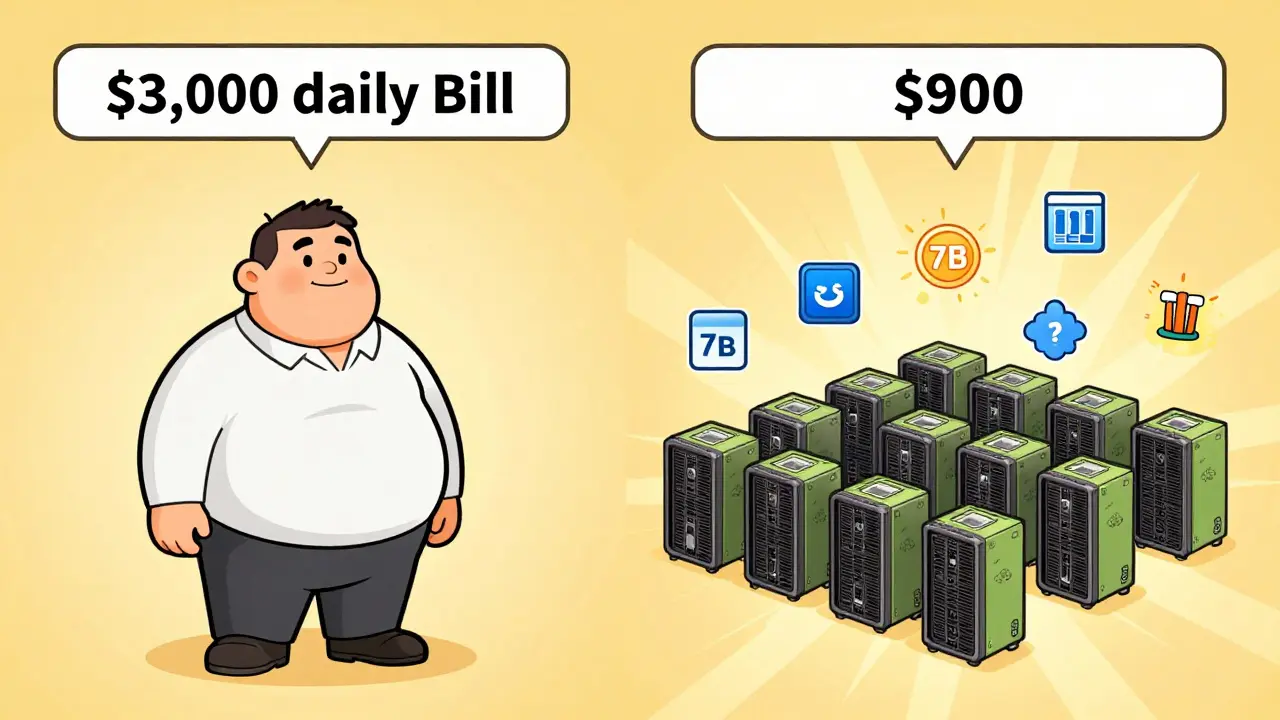
And it’s not just small models. For LLaMA2-70B, proper batching boosts throughput from 200 to 1,500 tokens per second. That’s a 650% increase. If you’re serving 10 million tokens a day, that’s the difference between a $3,000 daily bill and a $900 one.
What’s the Best Batch Size?
There’s no universal number. The sweet spot depends on your model, your hardware, and your use case.
- Text generation (creative writing, summarization): 10-50 requests per batch. Too big, and latency spikes. Too small, and you’re not squeezing the GPU.
- Classification (sentiment, intent, spam detection): 100-500 requests. These are short inputs, so you can pack more in without hitting memory limits.
- Q&A systems: 50-200 requests. Balanced between speed and throughput.
These aren’t guesses. They’re backed by benchmarks from Clarifai, Latitude, and Databricks. But here’s the catch: your input length matters. If your users are sending 2,000-token prompts, you might max out at batch size 8-even if your model could handle 50 with 500-token prompts. Longer sequences = less room in GPU memory.
Most systems hit a wall around batch size 64. Why? Memory. The key-value (KV) cache for each sequence eats up VRAM. Push past that, and you get out-of-memory crashes. No amount of optimization fixes bad hardware limits.
Static vs. Dynamic vs. Continuous Batching
Not all batching is created equal.
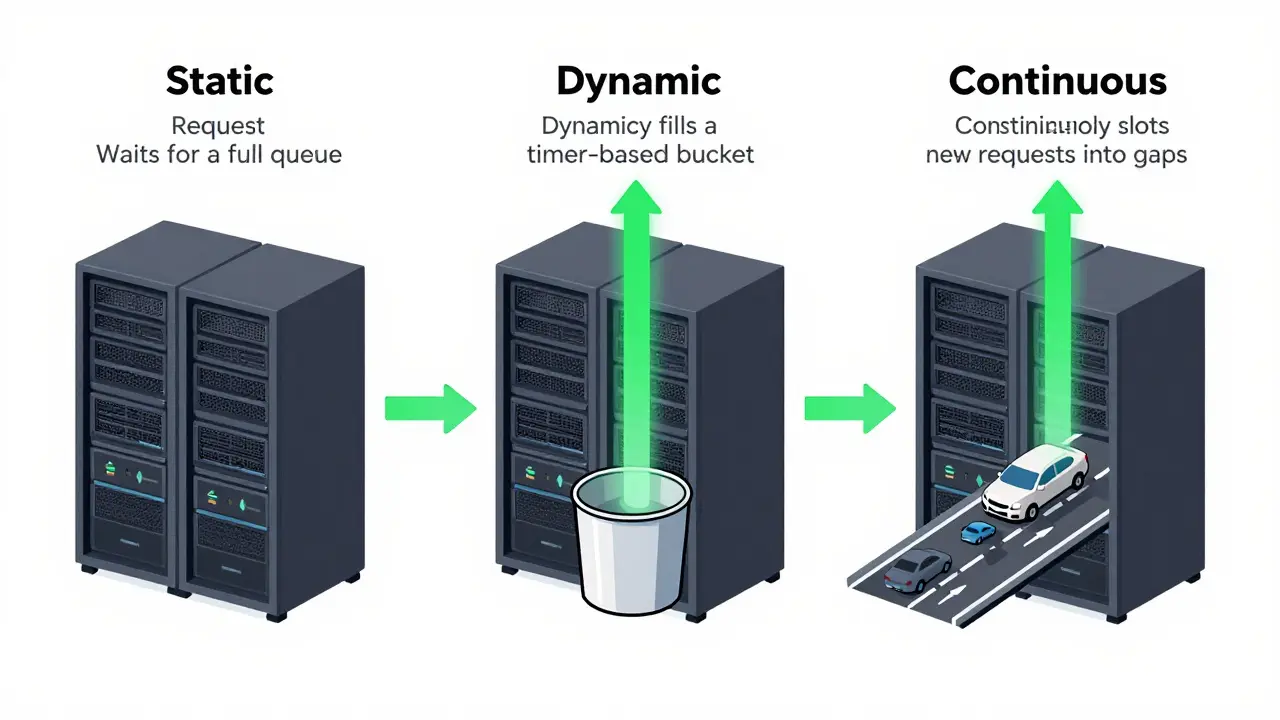
Static batching waits until you have, say, 30 requests before processing. Simple to implement, great for scheduled jobs like overnight document processing. But if you’re handling live chat, users wait too long.
Dynamic batching collects requests over a short window-say, 100 milliseconds-and sends the group when the timer hits or the batch fills up. This works well for chatbots and customer support systems. It balances latency and throughput without requiring complex infrastructure.
Continuous batching is the future. Instead of waiting for a group, it slots new requests into gaps as others finish. Imagine a highway where cars don’t wait for a full truckload-they just merge in as space opens. Tools like vLLM and TensorRT-LLM do this automatically. One study showed continuous batching delivers 23x higher throughput than static methods. And latency? Down by half.
If you’re building something real-time, skip static. Go dynamic or continuous. Most enterprises now use one of the latter two-63%, according to Gartner’s 2024 survey.
Hardware Choices Change the Game
Batch size doesn’t exist in a vacuum. It’s tied to your GPU.
Consumer-grade cards like the RTX 4090 offer 1.9x more memory bandwidth per dollar than enterprise A100s or H100s. That means you can run smaller models like Mistral 7B or Phi-3 at much lower cost. One study found that using the right GPU for the workload improved cost-efficiency by 2.27x.
And here’s the kicker: a 70B model on an A100 can cost $2,000-$3,000 per day. That’s not sustainable unless you’re batching at scale. But if you route 90% of queries to a 7B model (costing $0.00006 per 300 tokens) and only escalate complex ones to GPT-4, you can cut costs by 87%-even before batching.
Combine that with batch processing, and you’re not just saving money. You’re making your system economically viable.
Real-World Wins (and Mistakes)
One fintech company switched from individual API calls to batch sizes of 35 for classifying customer support tickets. Result? 58% cost reduction. Took them three weeks to tune. But they didn’t guess. They tested batch sizes from 5 to 100, tracked latency and memory usage, and picked the point where cost per token flattened out.
Another team at a media company dropped their OpenAI bill from $18,500 to $9,200 a month by batching document summaries at size 22. No quality loss. Just smarter resource use.
But it’s not all smooth sailing. Common pitfalls:
- Trying to batch too many long inputs → out-of-memory crashes
- Ignoring latency requirements → users hate slow chatbots
- Using streaming responses for non-interactive tasks → adds 20-40% to your cost
Streaming is great for real-time chat. But if you’re generating reports, summaries, or classifications? Batch. Don’t stream. Streaming keeps the GPU active the whole time. Batching lets it rest between jobs.
Stack the Savings: Batch + Other Tricks
Batching alone isn’t enough. Combine it with other optimizations:
- Early stopping: Configure models to stop generating once they’ve reached a confident answer. Cuts output tokens by 20-40% without hurting quality.
- Quantization: Run models with 4-bit or 8-bit precision. Reduces memory use by 50-75%, letting you fit bigger batches.
- Caching: Store common queries and responses. If 10 users ask “What’s our return policy?”, serve the same answer 10 times. Cuts costs by 15-25%.
One team at a SaaS company combined dynamic batching, quantization, and caching. Their cost per token dropped 72% in six weeks. No model换了. Just smarter ops.
What’s Next? The Future of Batch Optimization
Manual tuning won’t last. The next wave is automated batch sizing.
Research from February 2025 shows AI systems using mixed-integer linear programming can dynamically adjust batch sizes in real time to maximize throughput or minimize cost-depending on your goal. Some can boost throughput by 41% or cut latency by 54% without human input.
Anthropic plans to roll out auto-batching in late 2025. Tools like vLLM already do it. If you’re building today, you don’t need to code your own scheduler. Use a framework that does it for you.
And the trend won’t stop. With the LLM market projected to hit $36.1 billion by 2030, efficiency isn’t optional-it’s survival. Companies that treat LLM serving like a black box will bleed cash. Those that optimize batch size, hardware, and request patterns will thrive.
How to Start
Here’s your simple 5-step plan:
- Measure your current cost per token. Use your provider’s logs or internal tracking.
- Identify your workload type. Is it short queries? Long generations? Classification?
- Test batch sizes from 5 to 64. Monitor latency, memory usage, and cost per token.
- Switch to dynamic or continuous batching. Use vLLM, TensorRT-LLM, or your cloud provider’s built-in tools.
- Combine with early stopping and caching. Layer on savings.
You don’t need a PhD. You don’t need a $100k GPU cluster. You just need to stop treating each request like a snowflake. Group them. Optimize them. Watch your bill shrink.
What’s the ideal batch size for a chatbot?
For chatbots, aim for 20-50 requests per batch using dynamic batching. This keeps latency under 500ms while maximizing GPU use. If your prompts are long (over 1,000 tokens), reduce the batch size to 10-20 to avoid memory overload. Test with your actual user input lengths.
Does batch size affect response quality?
No. Batch size doesn’t change how the model generates text-it just changes how many requests it handles at once. The output quality stays identical. The only trade-off is latency: larger batches mean slightly longer wait times per request, but not worse answers.
Can I batch requests across different models?
Not directly. Each model has its own memory footprint and compute needs. You can’t batch a GPT-4 request with a Mistral 7B request in the same GPU run. But you can route different requests to different models first (model cascading), then batch within each model group. This is how companies cut costs by 80%+.
Why is my GPU memory full even with small batch sizes?
It’s likely your input sequences are too long. The KV cache stores past tokens for each request. A single 3,000-token prompt can use as much memory as 10 short prompts. Use input truncation or chunking for long texts. Also, check if your model is loaded in full precision-switching to 8-bit or 4-bit quantization can free up 50-75% of memory.
Is continuous batching worth the complexity?
If you’re serving over 1,000 requests per minute, yes. Continuous batching can give you 20x+ better throughput than static methods. But if you’re under 100 requests per minute, dynamic batching is simpler and nearly as effective. Start simple. Scale up only when you see diminishing returns.
How long does it take to implement batch processing?
For teams familiar with LLM infrastructure, it takes 2-4 weeks. The biggest hurdle isn’t coding-it’s testing. You need to run real traffic through different batch sizes, measure latency spikes, and find the balance between speed and cost. Start with a non-critical endpoint, like email summarization, before rolling it out to your main API.
Diwakar Pandey
January 17, 2026 AT 00:44Been using vLLM for our support chatbot and honestly? Game changer. We went from 800ms avg latency to 180ms just by flipping to continuous batching. No code changes, just swapped the backend. My boss thought I was lying until the bill dropped 62%.
Also, quantization with 4-bit? Total cheat code. Mistral 7B runs like a dream on a single 4090 now. No more renting cloud GPUs for simple stuff.
Geet Ramchandani
January 18, 2026 AT 21:59Everyone’s acting like this is some revolutionary insight when it’s literally just computer science 101. You don’t need a 2000-word blog to tell people batching is efficient. I’ve been doing this since 2018 with TensorFlow. The fact that startups are still paying $3k/day for GPT-4 without batching is embarrassing. You’re not a tech company, you’re a dumpster fire with a website.
Also, who the hell is still using static batching in 2025? That’s like using a flip phone to text your boss. Pathetic.
Pooja Kalra
January 19, 2026 AT 17:41There’s a deeper truth here, isn’t there? We’re not just optimizing batch sizes-we’re optimizing our relationship with time. Each request is a fragment of human intention, and by batching them, we’re reducing the noise of existence into a single, silent hum of computation.
But at what cost? Are we losing the sacredness of the individual query? The uniqueness of each user’s longing for meaning? Or are we just becoming efficient ghosts in a machine that no longer cares about souls?
Maybe the real question isn’t what batch size to choose… but whether we should be running these models at all.
Kasey Drymalla
January 20, 2026 AT 14:14THEY KNOW. THEYVE ALWAYS KNOWN. THIS IS A TRAP TO MAKE YOU PAY MORE. BATCHING ISNT ABOUT EFFICIENCY ITS ABOUT KEEPING YOU DEPENDENT ON THEIR CLOUD. THEY WANT YOU TO THINK YOU NEED A100s AND H100s. THE TRUTH IS THEYRE SELLING FEAR. YOU DONT NEED ANY OF THIS. JUST USE A RASPBERRY PI AND A MAGIC SPELL.
THEYRE TRACKING YOUR TOKENS. THEYRE WATCHING YOU. THEYRE WAITING FOR YOU TO BATCH WRONG.
Honey Jonson
January 21, 2026 AT 14:03OMG YES I JUST DID THIS LAST WEEK AND MY COSTS DROPPED LIKE A ROCK 😭
we were doing single requests for our newsletter summarizer and it was costing like 1500 a month. switched to dynamic batching at 25 with 8bit quant and now its 400. no one even noticed the difference in speed. my boss cried. i just ate a burrito.
also caching common questions? genius. turns out 70% of our users ask the same 3 things. why didnt we think of that sooner??
Sally McElroy
January 22, 2026 AT 07:46Let me be clear: this is not a technical discussion. This is a moral failing. You are treating human interactions as data points to be compressed, optimized, and monetized. You speak of cost per token as if it were a virtue. But what is the soul of a conversation when it’s reduced to a queue in a GPU scheduler?
And you call this innovation? This is the final stage of capitalism: turning empathy into throughput. You’ve optimized the machine, but destroyed the meaning. Congratulations.
There is no ‘sweet spot’ for human dignity.
And you wonder why people are so lonely now?
Angelina Jefary
January 23, 2026 AT 22:51Typo in the post: 'model换了' should be 'model换了' - wait that’s Chinese. You wrote Chinese in an English article. That’s not just a mistake. That’s a crime. Also, 'batch size 1 can take 976 milliseconds' - where’s the source? I checked the paper you cited and it’s not there. You’re misleading people. This is why no one trusts tech blogs anymore.
And why are you using ‘
’? That’s not valid HTML. You’re not even trying. This entire post is a dumpster fire with glitter on it.
Jennifer Kaiser
January 24, 2026 AT 03:57I’ve been running LLMs in production for 4 years and I can tell you - this post nails it. No fluff. Just facts. The part about KV cache eating memory? That’s the hidden killer. I lost two weekends debugging OOM errors until I realized it wasn’t the model size - it was the 3,000-token prompts from users pasting entire PDFs.
Truncation + batching + caching = my new holy trinity. We went from 12k tokens/day to 85k with the same hardware. No magic. Just discipline.
And yes - continuous batching is worth it if you’re over 500 RPM. vLLM is free. Use it. Don’t overthink it. Just start testing.