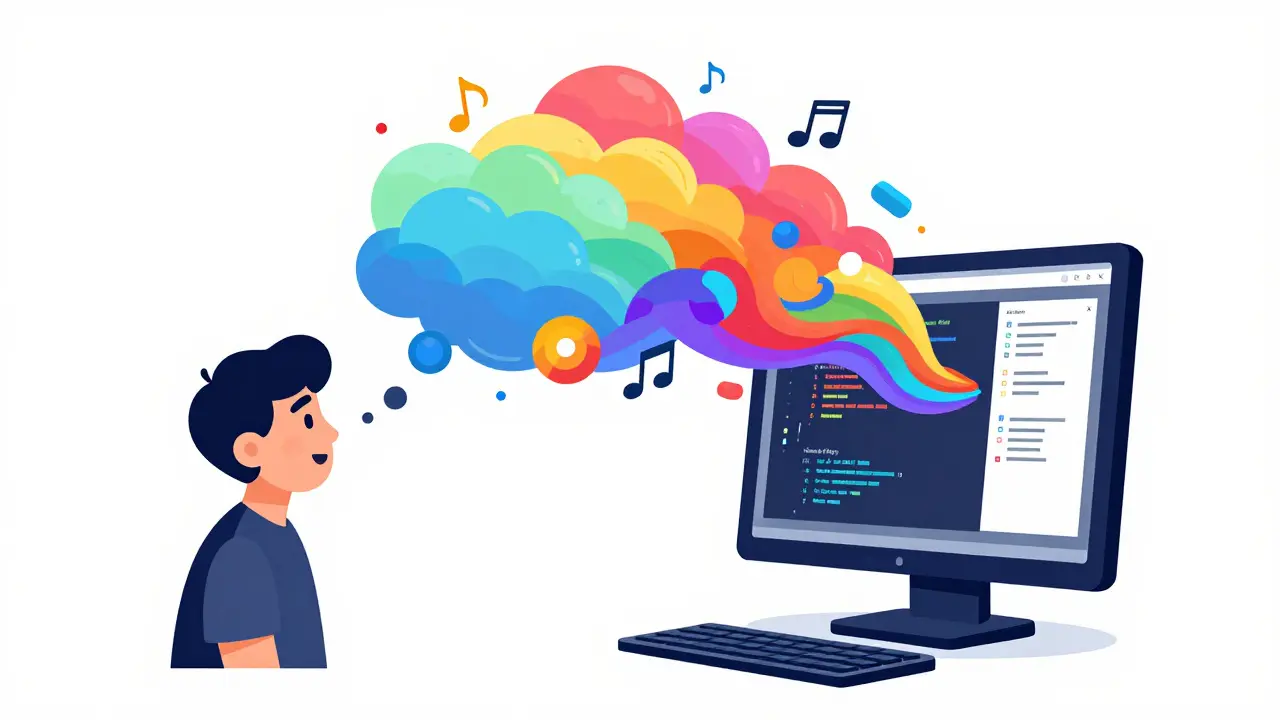
Imagine describing an app to your computer the same way you'd describe a dream to a friend, and then watching that computer actually build it. That is the heart of vibe coding is a style of programming that uses natural language prompts to assist with the coding process . It is a massive shift from typing every semicolon and bracket to focusing on the "vibe" or the intent of the software. But if you only use a basic prompt, you hit a wall pretty quickly. To move from simple prototypes to actual, working software, you need to leverage agent plugins and tools that give the AI "hands" to interact with your system.
The Quick Win: What You Need to Know
- Core Idea: Vibe coding turns natural language into functional code, but agent tools are what make it autonomous.
- Top Tools: Cursor and Cline are currently leading the pack for project-wide context and autonomous task execution.
- The Secret Sauce: Using plugins like MCP (Model Context Protocol) allows AI to import assets from tools like Figma instantly.
- The Trade-off: You gain incredible speed in prototyping but face a steeper challenge in debugging "black box" code you didn't manually write.
Moving Beyond the Chatbox with AI Agents
For a long time, AI coding was just a fancy autocomplete. You asked for a function, it gave you a snippet, and you pasted it in. True vibe coding happens when the AI becomes an agent. An agent doesn't just suggest code; it acts on your project. Cursor is a prime example. Its Agent mode can autonomously create new files, update your configuration, and even run terminal commands without you lifting a finger. This means you can say, "Set up a login page with validation and connect it to the database," and the agent handles the file structure, the routing, and the logic in one go.
Then there is Cline (formerly Claude Dev), which many developers describe as the "perfect intern." Unlike simpler tools, Cline doesn't just rewrite your whole repository when you ask for a change. It makes a plan, asks clarifying questions, and executes specific edits. This structured approach is why it scored a 59.5/70 in benchmarks for building complex systems like invoicing software, proving that the right "agentic" workflow prevents the AI from hallucinating or breaking existing features.
Extending Capabilities with Specialized Plugins
The real magic happens when you plug the AI into other ecosystems. If you are building for the web, Chrome extensions are the ultimate playground. Tools like Anima allow you to capture a live website and instantly open it in a playground ready for vibe coding. This removes the tedious step of recreating CSS and layout from scratch; you just "vibe" the changes directly onto a production-ready base.
To understand how these tools stack up, check out this breakdown of the current leaders:
| Tool | Best For | Key Superpower | Typical User |
|---|---|---|---|
| Cursor | Project-wide context | Deep codebase indexing | Full-stack devs |
| Cline | Structured workflows | Plan-first execution | System architects |
| Roo Code | Multi-file projects | Complex file handling | App developers |
| Anima | UI/UX Prototyping | Live site to code conversion | Designers/Front-end |
The "Black Box" Trap and How to Avoid It
There is a catch. When you vibe code an entire feature, you are essentially creating a "black box." If the code works, it's magic. If it breaks, it's a nightmare because you didn't write the logic-the AI did. Many junior developers have seen a spike in tickets because they can't explain why a piece of AI-generated code is failing in an edge case. To stop this from happening, you have to shift your skillset from syntax mastery to code review.
The most successful vibe coders spend at least 30% of their time reviewing and refining the AI's output. Instead of just pressing "Apply," they treat the AI as a collaborator. For example, when building a Gemini summarizer extension, a developer might let the AI suggest the API key setup but manually verify that the Chrome storage API is being used correctly to keep keys secure. You aren't just a "prompter"; you are an editor-in-chief of your code.
Practical Workflow for Your First Vibe Project
If you want to start extending your capabilities, don't just start typing. Follow this sequence to ensure your project doesn't collapse under its own weight:
- Visual Foundation: Start in a tool like Figma. Get the look and feel right first.
- Technical Setup: Use a tool like Anima to convert those visuals into a baseline of HTML/CSS or React components.
- Agent Initiation: Open your project in Cursor or Cline. Provide a high-level goal (e.g., "Build a task manager that saves data to local storage").
- Iterative Refinement: Ask the agent to build one feature at a time. Instead of "Build the whole app," try "Create the input field and the add-button logic first."
- Validation: Use a tool like Lighthouse to ensure the generated code is production-ready and doesn't have massive performance leaks.
Is Vibe Coding Ready for the Enterprise?
For a solo founder or a startup, vibe coding is a superpower. It allows you to build micro-apps and prototypes 63% faster than traditional methods. However, the corporate world is more hesitant. Many Fortune 500 companies still block these tools because they are terrified of their proprietary code leaking into a public LLM training set. This is why we are seeing a rise in "audit trails" and local-first models that keep the data on-premise.
The biggest hurdle right now isn't the AI's ability to code-it's the integration with CI/CD pipelines. Only about 28% of organizations have successfully automated the path from a "vibe prompt" to a deployed production server. Until that gap closes, vibe coding will remain the king of prototyping and internal tools, while the heavy lifting of enterprise architecture still requires a human touch.
What exactly is the difference between an AI coder and a vibe coding agent?
A standard AI coder acts like a calculator: you give it an input, and it gives you a result. A vibe coding agent acts like a teammate. It can see your entire project folder, create new files, run terminal commands to install packages, and fix errors it finds while running your code. It doesn't just write the code; it manages the environment.
Do I need to know how to code to use these tools?
You don't need to be a master of syntax, but you do need to understand logic. If you don't know what an API is or how a database generally works, you'll struggle to tell the agent what to do. The skill is shifting from "writing code" to "system design and review." You need to be able to read the code to ensure the AI isn't introducing security holes.
Which tool is better for beginners: Cursor or Cline?
Cursor is generally easier for beginners because it is a full IDE (Integrated Development Environment) built from the ground up for AI. Cline is a VS Code extension that is incredibly powerful but requires a bit more configuration and a deeper understanding of how to manage "agent plans." Start with Cursor if you want a seamless experience.
Can vibe coding create production-ready apps?
Yes, but with a caveat. While the UI and basic logic can be generated instantly, complex state management and cross-module dependencies often require human intervention. Most production-ready vibe-coded apps are those that serve as micro-services or internal tools rather than massive, consumer-facing platforms.
How do I handle API keys securely in vibe-coded projects?
Never let the AI hard-code your API keys directly into the script. Instead, instruct the agent to use environment variables (.env files) or, if you're building a Chrome extension, use the Chrome storage API. Always double-check the code to ensure your secrets aren't being uploaded to a public repository.
Next Steps for Your Workflow
If you are just starting out, try building a simple Chrome extension that solves a personal problem-maybe a tool that summarizes your emails or a custom CSS injector for a site you use daily. Once you get the hang of the "prompt-review-refine" cycle, start integrating MCP plugins to bring in data from other apps. The goal isn't to stop coding; it's to stop fighting with the syntax so you can spend more time on the actual idea.