
You just asked an AI to build a landing page. It spat out something beautiful in seconds. The layout is perfect, the colors are on brand, and the copy flows. But when you hit deploy, the site takes six seconds to load on a mid-range Android phone. Why? Because vibe-coded frontends are notorious for bloat. Large language models (LLMs) prioritize visual fidelity and code completion speed over bundle size optimization. They don't care that your JavaScript chunk is 2MB; they care that it works.
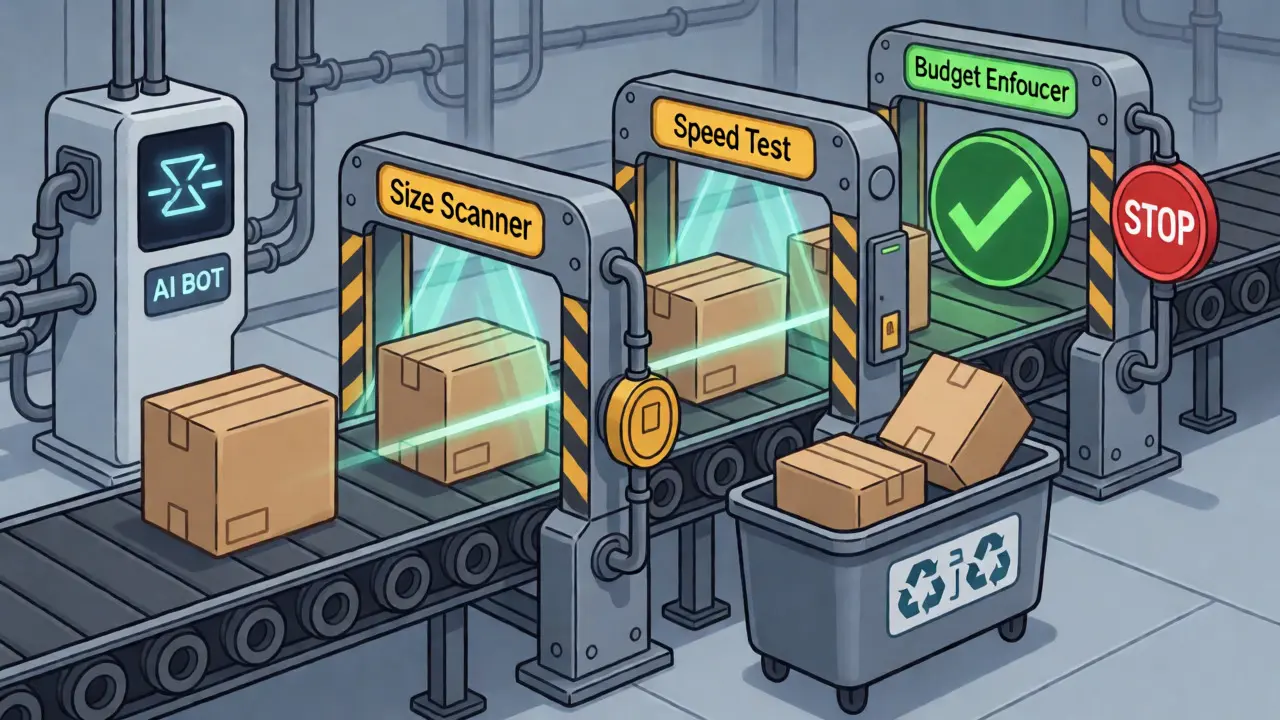
This is where performance budgets save you from yourself. A performance budget isn't just a nice-to-have metric dashboard; it's a hard constraint system. Think of it like a financial budget, but instead of dollars, you're spending milliseconds and kilobytes. If you exceed your limit, the build fails. Period. This article breaks down how to set, measure, and enforce these budgets specifically for code generated by AI tools, ensuring your "vibe" doesn't tank your user experience.
Why Vibe Coding Breaks Traditional Performance Assumptions
Traditional frontend development involves human architects making deliberate trade-offs. You choose between a heavy animation library or CSS-only transitions. You decide whether to import the whole Lodash library or just the specific functions you need. AI doesn't make these choices intentionally. It predicts the next token based on patterns in its training data. Often, those patterns include verbose boilerplate, redundant dependencies, and unoptimized asset handling.
When you generate a component with an LLM, you might get a React component that imports three different icon libraries because the model saw them used together in other examples. You might get inline styles that prevent tree-shaking. The result is a codebase that looks clean but carries hidden weight. Without strict boundaries, this technical debt accumulates silently until your Largest Contentful Paint (LCP) score drops below 2.5 seconds, hurting your SEO and conversion rates.
The core problem is feedback latency. In manual coding, you feel the pain of a slow build immediately. With vibe coding, the generation step feels instant. The pain only appears later during testing or production monitoring. Performance budgets close this gap by moving the check earlier in the pipeline-right into the commit stage.
Setting Realistic Budgets for AI-Generated Code
Don't start with aggressive targets copied from a blog post about hand-crafted sites. AI-generated code typically has a higher baseline overhead. Your initial goal should be containment, not perfection. Start by auditing your current state using Lighthouse or WebPageTest.
Focus on three critical categories:
- Total Page Weight: For most modern SPAs, aim for under 1.5 MB initially. If your AI-generated site is already at 3 MB, set a temporary budget of 2.8 MB to prevent regression, then tighten it as you refactor.
- JavaScript Bundle Size: This is usually the biggest offender. Limit your main entry point to under 170 KB gzipped. Split larger chunks aggressively.
- Core Web Vitals Thresholds: Hardcode limits for LCP (< 2.5s), Interaction to Next Paint (INP < 200ms), and Cumulative Layout Shift (CLS < 0.1).
| Metric | Aggressive Target | Realistic Starting Point | Rationale |
|---|---|---|---|
| Total JS (Gzipped) | < 100 KB | < 170 KB | Allows room for framework runtime + minor bloat. |
| Total Images | < 500 KB | < 1 MB | AI often generates high-res placeholders; optimize later. |
| LCP | < 1.8 s | < 2.5 s | Google's "Good" threshold. Do not exceed. |
| HTTP Requests | < 25 | < 40 | High request counts indicate lack of bundling/tree-shaking. |
Remember, budgets are living documents. As your team learns which AI patterns cause bloat, you can lower the limits. But never raise them without a written justification. If a new feature requires more weight, ask: "Is this worth the performance cost?"

Measuring Performance in the CI/CD Pipeline
Manual checking doesn't scale. You need automated measurement integrated directly into your Continuous Integration (CI) pipeline. This ensures that every pull request (PR) containing AI-generated code is tested against your budget before it merges.
The gold standard here is Lighthouse CI. It runs headless Chrome instances on your build artifacts, simulating mobile devices and network conditions. Unlike simple bundle-size checks, Lighthouse CI measures actual rendering performance. It catches issues like render-blocking resources or excessive DOM size, which are common in AI-generated HTML structures.
Here’s a basic workflow for enforcement:
- Build Step: Compile your application (using Vite, Webpack, or Next.js).
- Static Analysis: Run a tool like Bundle Buddy or `webpack-bundle-analyzer` to flag large dependencies introduced by the AI.
- Lighthouse Audit: Configure Lighthouse CI to run against key routes (e.g., Home, Product Page, Checkout).
- Budget Check: Compare results against your predefined JSON configuration file. If any metric exceeds the limit, fail the build.
For teams heavily reliant on AI, consider adding a custom script that scans for anti-patterns. For example, if the AI imports `moment.js` instead of `date-fns`, flag it. If it uses inline SVGs for complex icons instead of an icon font or sprite sheet, warn the developer. These static checks catch structural inefficiencies before they impact runtime metrics.
Enforcing Discipline Through Automated Gates
Measurement is useless without enforcement. If developers can ignore failing builds, budgets become suggestions. To make them stick, integrate budget failures into your PR review process.
Configure your repository settings so that a failed Lighthouse CI check blocks merging. Add a comment bot to the PR that posts a summary: "JS Bundle increased by 15KB. New dependency: `framer-motion`." This visibility creates social accountability. When a teammate sees their AI-generated component added 50KB to the main bundle, they’re more likely to investigate why.
Another powerful tactic is tiered enforcement. Apply strict budgets to high-traffic pages (landing pages, product details) and looser budgets to internal admin panels. Not all pages need to be lightning fast. An admin dashboard used by five people internally doesn’t need to meet the same Core Web Vitals standards as your public-facing homepage. Tailoring budgets prevents "budget fatigue," where developers constantly fight irrelevant constraints.
Also, automate the reporting. Send weekly summaries to Slack showing trends. Are budgets trending up or down? Which components are consistently near their limit? This data helps you identify systemic issues in your prompting strategy. Maybe your default prompt always asks for "rich animations," leading to unnecessary library loads. Adjusting the prompt fixes the root cause.
Common Pitfalls and How to Avoid Them
Even with good intentions, teams stumble. Here are the most frequent mistakes when applying budgets to vibe-coded projects:
- Focusing Only on File Size: A small bundle can still be slow if it contains heavy parsing costs or blocking scripts. Always pair size budgets with timing budgets (LCP, TTI).
- Ignoring Third-Party Scripts: AI might suggest embedding multiple analytics tools or chat widgets. Each third-party script adds latency. Track these separately. If possible, defer non-critical third-party loading.
- Over-Optimizing Development Builds: Don’t let dev-server slowness discourage you. Production builds are minified and compressed. Ensure your budget checks run against production-equivalent builds, not dev servers.
- Blind Trust in AI Recommendations: Sometimes the AI suggests a "best practice" that doesn’t fit your context. For instance, it might recommend SSR for a static marketing site, increasing server complexity without significant UX gain. Verify architectural suggestions against your actual traffic patterns.
One subtle trap is the "placeholder image" problem. AI often inserts high-resolution placeholder images for prototyping. Developers forget to replace them with optimized assets. Implement a lint rule that flags images larger than 100KB in the source directory unless explicitly allowed.
The Future: Predictive Budgets and AI Optimization
We are moving toward smarter budget management. Tools are beginning to use machine learning to predict performance impacts before code is even written. Imagine asking your AI assistant: "Generate a hero section with video background," and receiving a warning: "This pattern typically adds 200ms to LCP. Consider a poster image fallback." Webpack 6 and emerging tools like Vite plugins are starting to offer real-time budget feedback during development. Instead of waiting for CI, you see warnings in your editor as you type. This immediate feedback loop is crucial for maintaining velocity while preserving quality.
Furthermore, Google’s integration of Core Web Vitals into Search Console diagnostics means poor performance now has direct business consequences. Ignoring budgets isn’t just a technical debt issue; it’s a revenue risk. By enforcing budgets on AI-generated code, you ensure that the speed of creation doesn’t come at the cost of the speed of delivery.
What is a performance budget?
A performance budget is a set of quantifiable limits on web performance metrics, such as page weight, load time, and number of HTTP requests. It acts as a constraint system to prevent performance regressions during development.
Why do AI-generated websites often have poor performance?
AI models prioritize code correctness and visual completeness over optimization. They may include unused dependencies, verbose boilerplate, and unoptimized assets, leading to larger bundle sizes and slower load times compared to hand-tuned code.
How do I enforce performance budgets automatically?
Integrate tools like Lighthouse CI or Webpack Bundle Budget into your CI/CD pipeline. Configure them to fail the build if metrics exceed defined thresholds, preventing merges that degrade performance.
Should I apply the same budget to all pages?
No. Use tiered budgets. Apply stricter limits to high-traffic, customer-facing pages like homepages and product pages. Allow looser constraints for internal tools or less critical secondary pages.
What is the ideal JavaScript bundle size for a modern frontend?
While it varies by application complexity, a common target for the main JavaScript bundle is under 170 KB gzipped. Larger applications should use code splitting to keep initial loads within this range.