
Running a large language model in production is less about the code you write and more about the hardware that serves it. You can have the most optimized Python script in the world, but if your GPU runs out of memory or your CPU struggles to feed data to the accelerator, your users will stare at a loading spinner until they leave. The decision between sticking with the reliable NVIDIA A100, which has been the industry standard since 2020, upgrading to the newer NVIDIA H100, or trying to save money by using CPU offloading is one of the biggest cost drivers in modern AI infrastructure.
In mid-2026, the landscape has shifted dramatically. The H100 is no longer just a luxury for deep pockets; cloud prices have dropped, making it the default choice for serious inference workloads. Meanwhile, the A100 is aging out of high-performance roles, and CPU offloading remains a viable option only for specific, low-latency-tolerant scenarios. This guide breaks down exactly where each option fits so you can stop guessing and start deploying with confidence.
The Core Problem: Memory Bandwidth Is King
When you run an LLM, you aren't primarily limited by raw compute power (FLOPS). You are limited by how fast you can move weights from memory into the processor. This is called being "memory-bandwidth bound." Think of it like a restaurant kitchen: the chefs (CUDA cores) might be incredibly fast, but if the waiters (memory bandwidth) can only bring ingredients one at a time, the kitchen backs up. No matter how skilled the chefs are, the output speed is capped by the waiters.
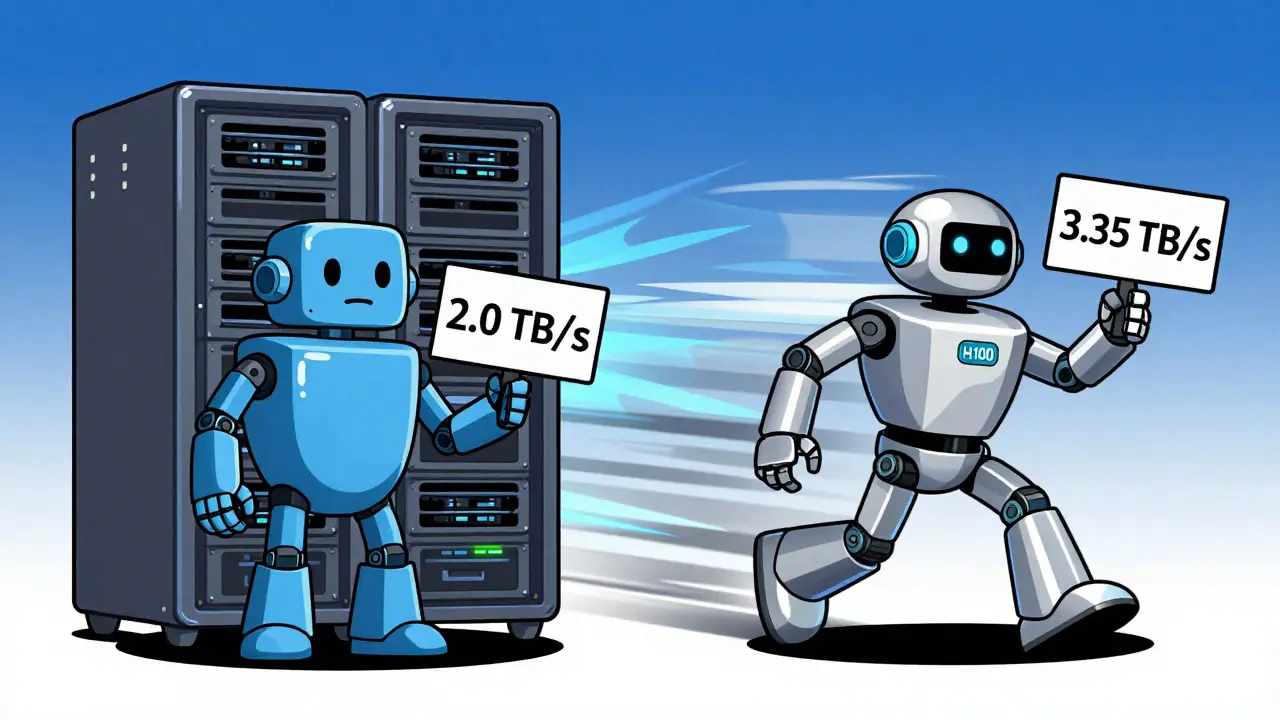
This reality dictates everything about GPU selection. The NVIDIA A100, built on the Ampere architecture, uses HBM2e memory with a bandwidth of 2.0 TB/s. It was revolutionary when it launched in May 2020. However, as models grew from 7 billion parameters to 70 billion and beyond, that 2.0 TB/s ceiling became a choke point. The NVIDIA H100, released in late 2022 on the Hopper architecture, bumped this to 3.35 TB/s using HBM3 memory. That isn't just an incremental improvement; it's a 67% increase in the rate at which the GPU can access the model weights. For inference, where you stream tokens one by one, this bandwidth difference translates directly into tokens per second.
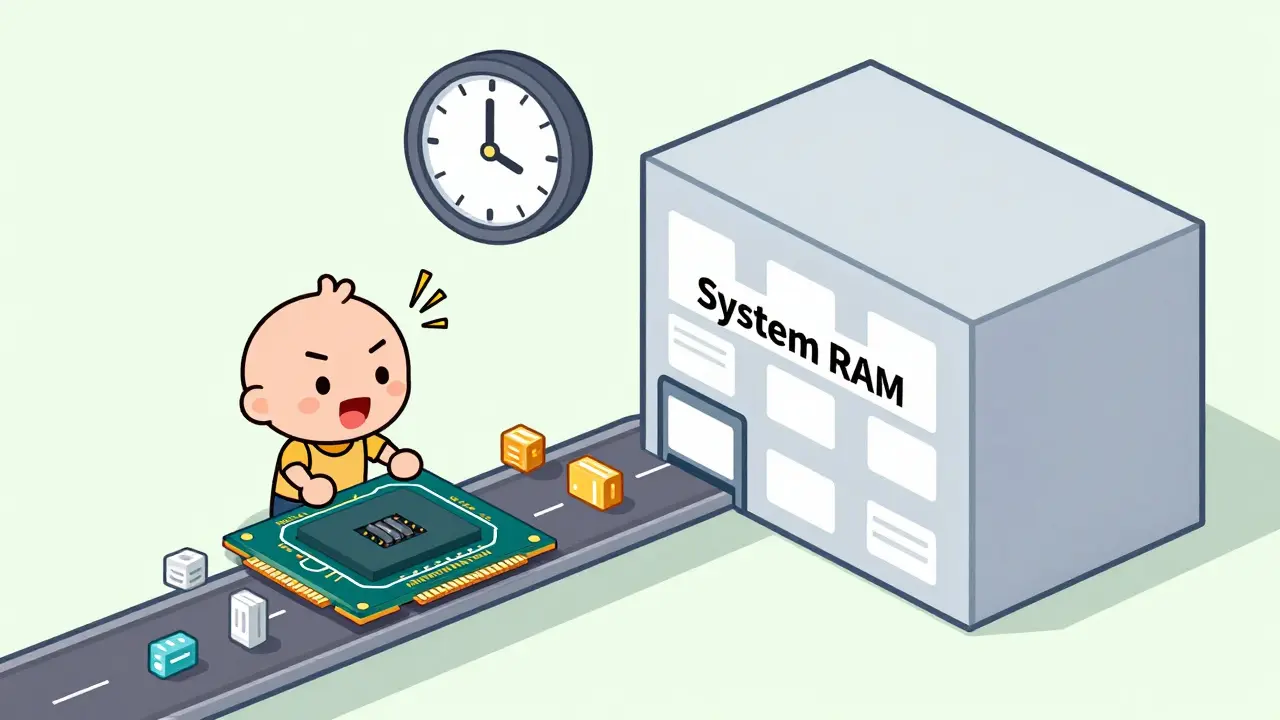
CPU offloading flips this dynamic entirely. When you use CPU offloading, you split the model layers between the GPU VRAM and the system RAM. System RAM is cheap and abundant, but its bandwidth is significantly lower than HBM, and the latency to fetch data across the PCIe bus is high. You trade speed for capacity. Understanding this trade-off is the first step in choosing the right path.
NVIDIA H100: The New Standard for High-Throughput Inference
If your goal is low latency and high concurrency, the H100 is currently the undisputed leader. Its fourth-generation Tensor Cores are specifically designed for transformer architectures, which power almost all modern LLMs. But the real game-changer is the Transformer Engine, which supports FP8 precision.
FP8 (8-bit floating point) allows the H100 to process data with half the bits of the traditional FP16 format without losing significant accuracy. This means you can fit larger batches into the same amount of memory and process them faster. According to benchmarks from Hyperstack.cloud in April 2025, running the Llama 3.1 70B model on an H100 SXM5 yielded 3,311 tokens per second, compared to just 1,148 tokens per second on an A100. That is a 2.8x throughput advantage. Even though H100 instances often cost 1.7x more per hour than A100s in the cloud, the cost per token generated is actually lower. You get more done in less time, which reduces your total bill.
For enterprise applications handling hundreds of concurrent users, this efficiency is critical. An engineer from a financial services firm noted in June 2025 that their chatbot could handle 37 concurrent users on an H100 before latency crossed the 2-second threshold, whereas the A100 struggled after 22 users. If you are building a product where user experience depends on instant responses, the H100's architectural advantages make it worth the premium.
| Feature | NVIDIA A100 (80GB) | NVIDIA H100 (80GB SXM5) |
|---|---|---|
| Architecture | Ampere | Hopper |
| Memory Type | HBM2e | HBM3 |
| Memory Bandwidth | 2.0 TB/s | 3.35 TB/s |
| CUDA Cores | 6,912 | 14,592 |
| Precision Support | FP16, BF16, INT8 | FP8, FP16, BF16, INT8 |
| NVLink Speed | 600 GB/s | 900 GB/s |
NVIDIA A100: Still Relevant for Smaller Models and Mixed Workloads
Don't write off the A100 just yet. While it loses the crown for massive 70B+ parameter models, it remains a strong contender for smaller models (under 13B parameters) and mixed workloads. Cloud providers still have vast inventories of A100s, which keeps hourly rates competitive. If your application doesn't require sub-second response times for huge models, the A100 offers excellent price-to-performance ratio.
MIT's AI Systems Lab published a counter-analysis in April 2025 pointing out that for models under 13B parameters with low concurrency requirements, the A100 often provides better overall value. The tooling ecosystem around the A100 is also more mature. Frameworks like vLLM, TensorRT-LLM, and DeepSpeed have had years to optimize for Ampere architecture. Setting up an inference pipeline on an A100 typically takes 1-3 days, whereas getting the full benefit of H100's FP8 capabilities can require 2-4 weeks of engineering effort to fine-tune quantization strategies and ensure numerical stability.
Additionally, if you are doing both training and inference on the same cluster, the A100's compatibility with older software stacks makes migration easier. For startups testing MVPs with 7B or 8B models, renting A100 instances allows you to validate your product logic without overspending on H100 compute. Just be aware that as models continue to grow toward 100B+ parameters, the A100's memory bandwidth will become a hard limit that no amount of software optimization can overcome.
CPU Offloading: The Budget-Friendly Compromise
CPU offloading is not a competitor to GPUs in terms of speed; it is a survival mechanism for budget-constrained environments. By using libraries like Hugging Face's `accelerate` or vLLM's PagedAttention, you can load parts of a model onto the CPU's system RAM while keeping the active layers in GPU memory. This allows you to run 70B-parameter models on hardware that wouldn't normally support them, such as a server with 64GB of RAM and a single consumer-grade GPU.
The trade-off is severe. MLCommons Inference Benchmark v4.0 from December 2024 showed that CPU offloading increases latency by 3-10x compared to full GPU inference. Where an H100 might generate a token in 200-500 milliseconds, CPU offloading can take 2-5 seconds per token. Stanford University's Efficient LLM Deployment study in May 2025 concluded that this approach introduces unacceptable latency for any production application requiring real-time interaction. Throughput drops to 1-5 tokens per second even on high-end server CPUs like the AMD EPYC 9654.
However, there are valid use cases. If you are building a batch processing pipeline-such as summarizing thousands of documents overnight where human waiting time doesn't matter-CPU offloading is incredibly cost-effective. It also serves as a crucial development tool. Developers on GitHub's llama.cpp repository documented that they use CPU offloading to test model behavior on local machines with 32GB of RAM before deploying to expensive cloud GPUs. It lowers the barrier to entry for experimentation, but it should never be the backbone of a customer-facing API.
Decision Matrix: Which Option Fits Your Use Case?
Choosing the right infrastructure depends on three factors: model size, latency requirements, and budget. Here is a practical breakdown to help you decide.
- Choose H100 if: You are serving models larger than 30B parameters, need sub-second response times, or have high concurrency (more than 20 simultaneous users). The higher upfront cost is offset by lower cost-per-token and better scalability. Look for H100 NVL variants if you need more than 80GB of unified memory for massive models.
- Choose A100 if: You are working with models under 13B parameters, have limited engineering resources for optimization, or need a balance of performance and cost for moderate traffic. It is ideal for mixed workloads where you might switch between different model sizes frequently.
- Choose CPU Offloading if: You are running batch jobs, performing offline analysis, or developing/testing locally. Avoid this for any user-facing application where latency matters. It is also suitable for very small deployments where the total volume of requests is negligible.
Market trends suggest that by late 2026, H100 will dominate new enterprise deployments. Gartner's May 2025 report indicated that H100 already accounted for 62% of new LLM inference setups, driven by 40% price reductions in cloud instances. AMD's MI300X offers an alternative, but independent benchmarks show it delivers only 1.7x the performance of H100 at 85% of the cost, failing to close the efficiency gap for transformer-specific tasks. Unless you have a specific reason to avoid NVIDIA's ecosystem, the H100 remains the safest bet for long-term viability.
Implementation Tips for Each Path
If you go with the H100, invest time in learning FP8 quantization. Tools like NVIDIA's TensorRT-LLM can automatically convert your models, but you need to validate accuracy. Start with a baseline FP16 model, then gradually reduce precision while monitoring perplexity scores. Don't assume FP8 works perfectly out of the box for every custom model.
For A100 deployments, leverage existing community optimizations. The vLLM engine is highly optimized for A100's memory layout. Ensure you are using the latest driver versions and CUDA toolkit to maximize kernel efficiency. Since A100s are widely available, you can easily scale horizontally by adding more nodes rather than vertically with bigger GPUs.
If you must use CPU offloading, minimize the number of layers moved to the CPU. Keep the attention layers, which are the most computationally intensive, on the GPU whenever possible. Use fast NVMe storage if you are swapping model weights to disk, as SSD speed becomes a bottleneck when RAM is exhausted. Monitor your PCIe utilization closely; if it hits 100%, your GPU is starved for data, and adding more VRAM won't help-you need faster interconnects or a different architecture.
Is the H100 worth the extra cost over the A100 for small models?
For models under 13B parameters, the H100's performance gains are less pronounced because the entire model fits comfortably in the A100's memory with room to spare. In these cases, the A100 often offers better price-to-performance due to lower hourly cloud rates. The H100 shines when memory bandwidth becomes the bottleneck, which typically happens with larger models or high-batch-size scenarios.
Can I mix A100 and H100 GPUs in the same cluster?
Yes, but it complicates scheduling. You need an orchestration layer like Kubernetes with device plugins that understand GPU heterogeneity. Ideally, route small, low-priority requests to A100s and reserve H100s for high-value, latency-sensitive tasks. Mixing architectures requires careful monitoring to prevent stragglers where slower A100s hold up distributed inference jobs.
What is the biggest risk of using CPU offloading in production?
The primary risk is unpredictable latency spikes. CPU offloading relies on system RAM and PCIe bandwidth, which can be shared with other processes. Under heavy load, memory contention can cause inference times to jump from seconds to minutes, leading to timeout errors and poor user experience. It is generally unsuitable for SLA-bound applications.
Does FP8 precision affect model accuracy?
In most cases, the impact on accuracy is negligible for inference tasks like text generation and classification. However, for sensitive applications like medical diagnosis or financial prediction, you should rigorously test FP8 outputs against FP16 baselines. Some edge cases may show slight deviations, so validation is essential before deployment.
How does multi-GPU scaling differ between A100 and H100?
H100 features a faster NVLink interconnect (900 GB/s vs 600 GB/s), which reduces communication overhead when splitting a large model across multiple GPUs. This results in better linear scaling for models exceeding 80GB. On A100 clusters, you may see diminishing returns sooner as the interconnect becomes a bottleneck during tensor parallelism operations.