You type a prompt like "Build me a login page with user authentication," and within seconds, the code appears. It works. It looks good. But does it actually keep your users' data safe? This is the central dilemma of vibe coding, a term that has exploded in popularity as non-technical builders use natural language prompts to generate functional applications through AI platforms. The barrier to entry for building software has never been lower, but the barrier to securing that software remains high. In fact, research from Infisical in January 2025 shows that repositories using AI coding tools suffer from a 40% higher rate of secret exposure compared to traditional development workflows.
If you are building apps without knowing how to read Python or JavaScript, you are relying on the AI's interpretation of security best practices. And often, those interpretations are flawed. The Cloud Security Alliance formally defined this practice in their April 9, 2025 Secure Vibe Coding Guide, warning that while democratization is powerful, it introduces unique vulnerabilities. This guide breaks down exactly what you need to know to protect your projects, your users, and yourself from costly breaches.
Why AI-Generated Code Is Inherently Risky
The core issue isn't that the AI is trying to be malicious; it's that the AI is designed to be helpful, not necessarily secure. When you ask an AI to build a feature, it prioritizes functionality. If you ask for a database connection, it might give you the quickest way to connect, which often involves hardcoding credentials directly into the script.
Consider the case documented by cybersecurity journalist Brian Krebs in January 2025. A small business owner built a website using no-code tools and accidentally exposed 12,000 customer records because they didn't understand how authentication tokens were being handled. The code worked perfectly-it just leaked everything. According to GitGuardian's 2024 report, 78% of exposed secrets in AI-generated code come from hardcoded credentials. The AI doesn't inherently know that putting a password in plain text is a bad idea unless you explicitly tell it otherwise.
Furthermore, Databricks' November 2024 security analysis warns that vibe coding can lead to critical vulnerabilities like arbitrary code execution. Even if the app runs without errors, it might contain backdoors or memory corruption issues that aren't visible until an attacker exploits them. You cannot rely on the fact that "it works" as proof that it is safe.
The Golden Rule: Never Hardcode Secrets
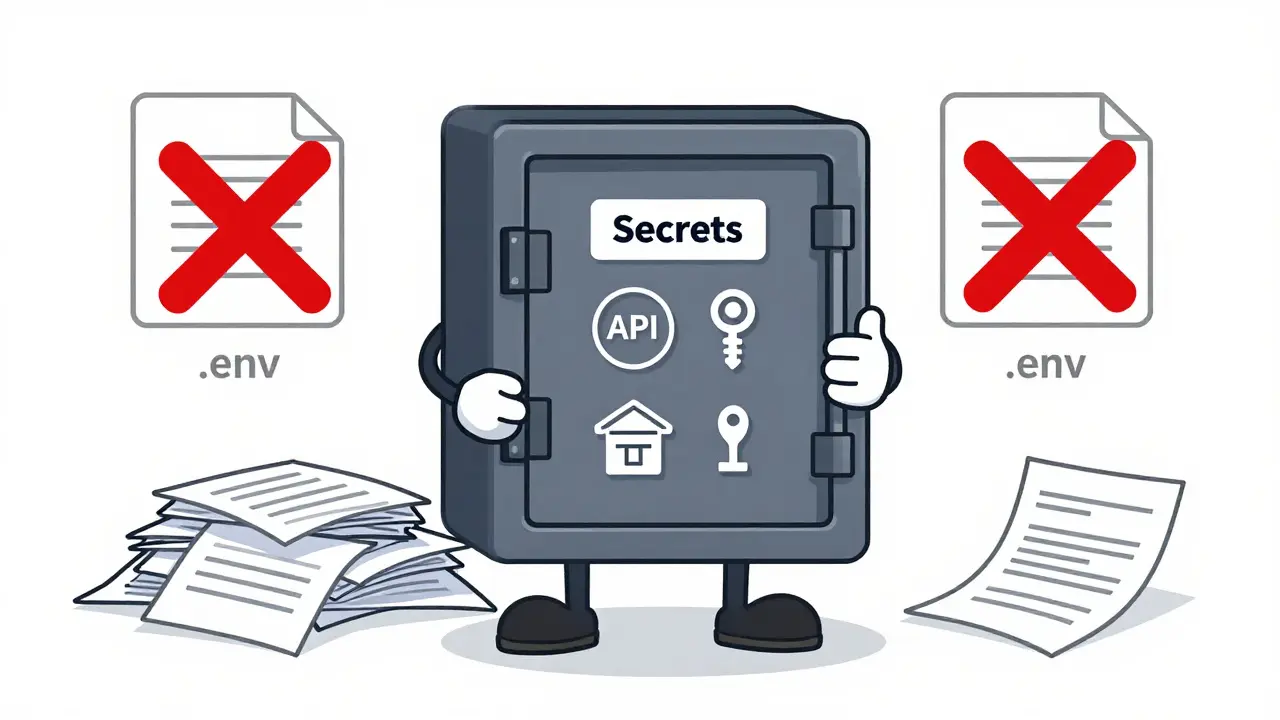
If you take only one thing away from this article, let it be this: never put sensitive information directly into your code. Sensitive information includes API keys, database passwords, and private tokens. These are called "secrets."
In traditional programming, developers store these secrets in environment variables-hidden configuration files that the application reads at runtime but are not included in the public code repository. For non-technical builders, this concept can feel abstract, but it is the single most important security habit you can adopt.
- Identify your secrets: Any string that starts with sk_, pk_, or looks like a long random alphanumeric sequence is likely a secret.
- Use platform-specific secret managers: Most modern vibe coding platforms have a dedicated section for secrets. On Replit, for example, there is a "Secrets" tab where you paste your keys. The platform then injects them securely when the app runs.
- Never commit .env files: If you are using version control (like Git), ensure your .gitignore file lists .env as the first item. GitGuardian’s 2024 analysis shows this simple step prevents 89% of accidental secret exposures.
Amit Sharma, Director of Application Security at ReversingLabs, notes that secure coding demands rigorous control of token handling. When prompting AI, explicitly request: "Use environment variables for all sensitive configuration." Do not assume the AI will do this by default.
Platform Comparison: Which Tools Keep You Safe?
Not all vibe coding platforms are created equal when it comes to security. Some handle the heavy lifting for you, while others leave you exposed if you don't know what you're doing. Here is how the major players compare based on 2024-2025 data.
| Platform | Automatic HTTPS | Secret Management | Security Scanning | Risk Level for Novices |
|---|---|---|---|---|
| Replit | Yes (Default) | Integrated UI | Automatic (Jan 2025 update) | Low |
| Bubble.io | Yes | Manual Configuration | Limited | Medium |
| GitHub Copilot | N/A (Local Dev) | None (User Responsibility) | Real-time detection (Feb 2025) | High |
| Webflow | Yes | Managed Hosting | Basic | Low (unless custom code added) |
Replit stands out for non-technical users because it automatically implements HTTPS and provides a user-friendly interface for managing secrets. Their internal metrics suggest this approach prevents 83% of common AI-generated vulnerabilities. In contrast, GitHub Copilot is a powerful assistant but lacks integrated security scanning in its base form, contributing to higher secret exposure rates. If you choose a platform that requires manual security configuration, be aware that 42% of Bubble.io user projects required manual fixes in early 2025 due to gaps in default protections.
Input Validation: Trust No User
Another critical vulnerability in AI-generated code is Cross-Site Scripting (XSS). This happens when an application takes input from a user-like a comment or a name-and displays it back to other users without checking if it contains malicious code. OWASP’s 2024 Top 10 reports that XSS accounts for 27% of web application vulnerabilities in vibe-coded projects.
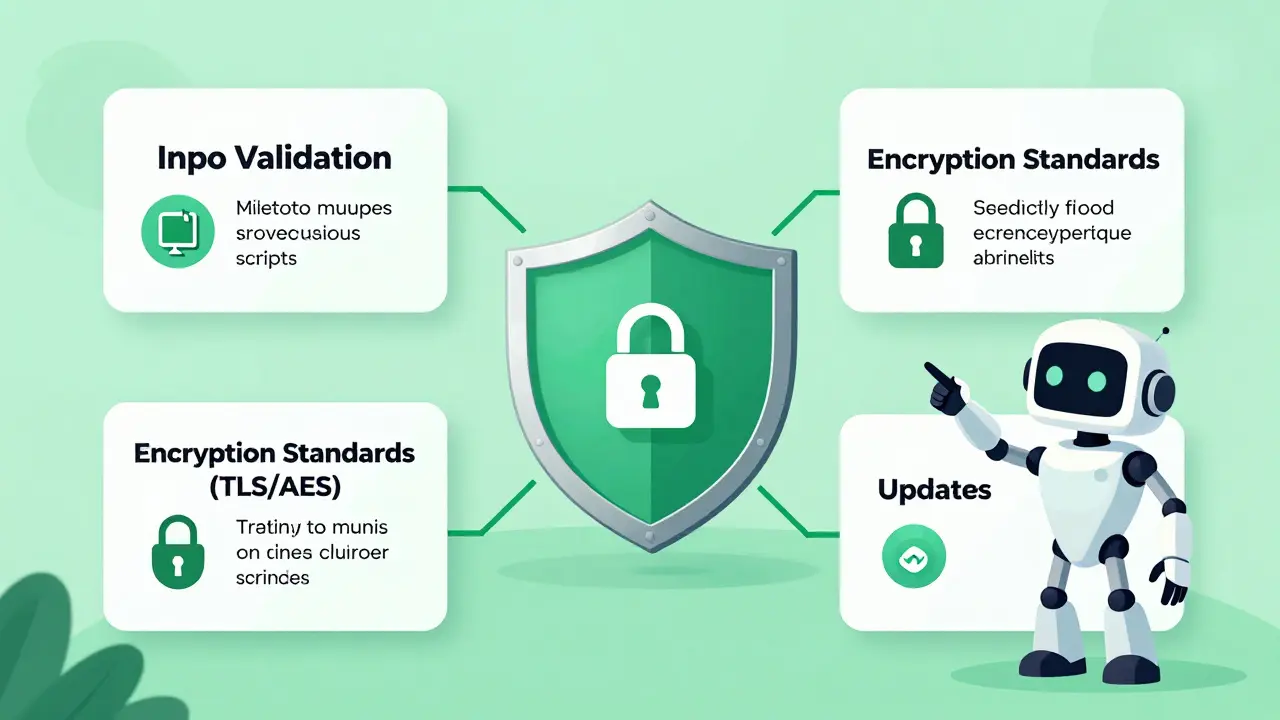
As a non-technical builder, you might think, "My app just collects names and emails." But attackers can paste malicious scripts into those fields. To prevent this, you must enforce input validation.
When prompting your AI tool, include specific instructions such as: "Sanitize all user inputs using DOMPurify for HTML content" or "Validate email formats strictly before processing." Replit’s framework automatically implements Object-Relational Mappers (ORMs) to prevent SQL injection, which is another common attack vector accounting for 65% of database incidents in AI code. However, XSS protection often requires explicit instruction. Treat every piece of user input as potentially hostile.
Encryption Standards You Should Know
You don't need to be a cryptographer to understand encryption, but you do need to know the standards. NIST Special Publication 800-175B revision 2 (December 2024) mandates specific protocols for secure data handling. Here is what that means for your project:
- Data in Transit: Use TLS 1.3. This ensures that data moving between your user's browser and your server is encrypted. Most modern platforms enable this via HTTPS automatically.
- Data at Rest: Use AES-256. This encrypts data stored in your database. If someone steals your database files, they won't be able to read them without the key.
Check your platform's documentation to confirm these standards are active. Replit, for instance, handles this infrastructure layer for you. If you are deploying on a more flexible but less managed platform, you may need to explicitly ask the AI to configure these settings.
Building a Secure Workflow
Security is not a one-time checkbox; it is a workflow. Dr. Sarah Chen, MIT Computer Science professor, emphasizes that non-technical builders must treat AI-generated code as potentially vulnerable by default. Here is a practical checklist for your daily routine:
- Prompt for Security: Start every session by telling the AI, "Prioritize security best practices, including input sanitization and secret management."
- Review the Code: Even if you can't write code, you can read it. Look for words like "password," "key," or "token" appearing in plain text strings. If you see them, move them to your secret manager.
- Use Version Control: Commit your code regularly. This allows you to revert changes if a new feature introduces a vulnerability.
- Test with Bad Data:: Try entering weird characters, extremely long texts, or HTML tags into your forms. Does the app break? Does it display the raw code? If so, your input validation is failing.
- Update Regularly: AI models and libraries evolve. Ensure your dependencies are up to date to patch known vulnerabilities.
The learning curve for these basic practices is surprisingly short. Replit’s January 2025 user study found that dedicated learners can master proper secret management and input validation in about 8-12 hours. The investment pays off by preventing incidents like the one experienced by 'MarketingMike' on Reddit, who faced $3,200 in unexpected charges after exposing Google API keys.
Regulatory Landscape and Future Trends
The regulatory environment is catching up to the technology. The EU's AI Act, effective February 2025, requires security documentation for AI-generated code in certain contexts. NIST also released Special Publication 1800-37 in December 2024, providing guidelines for secure AI-assisted development. While these may seem distant for individual creators, enterprise adoption is accelerating. Forrester’s December 2024 survey shows 68% of Fortune 500 companies permit citizen development, but 82% require specific security training.
Looking ahead, we can expect more automated solutions. Replit’s January 2025 update introduced automatic security scanning that blocks 92% of common vulnerabilities before deployment. GitHub added real-time secret detection in February 2025. By 2027, Gartner predicts that secure vibe coding platforms with automatic controls will capture 85% of the market. As a builder, choosing a platform that invests in these automatic safeguards is a strategic decision.
What is vibe coding?
Vibe coding is a method of software development where non-technical users, often called citizen developers, use natural language prompts to instruct AI models to generate functional code. It democratizes app creation but introduces unique security challenges because the builder may not understand the underlying code structure.
How do I manage secrets in my AI-generated app?
Never hardcode secrets like API keys or passwords into your source code. Instead, use your platform's secret management features (e.g., Replit's Secrets tab) or environment variables (.env files). Always add .env to your .gitignore file to prevent accidental exposure in version control systems.
Is Replit safer than GitHub Copilot for beginners?
For non-technical builders, Replit generally offers a safer out-of-the-box experience. It provides automatic HTTPS, integrated secret management, and recent updates include automatic security scanning. GitHub Copilot is a powerful assistant but places more responsibility on the user to implement security measures manually.
What is XSS and why should I care?
Cross-Site Scripting (XSS) is a vulnerability where attackers inject malicious scripts into web pages viewed by other users. It accounts for 27% of vulnerabilities in vibe-coded projects. You should care because it can lead to data theft or session hijacking. Prevent it by asking your AI to sanitize all user inputs using libraries like DOMPurify.
Do I need to learn programming to secure my vibe-coded app?
You don't need to become a full-stack developer, but you do need to learn basic security concepts. Understanding terms like environment variables, HTTPS, and input validation is crucial. Replit's studies show that 8-12 hours of focused learning can equip you with these essential skills.