
You ask an AI to calculate the compound interest on a $10,000 investment over 20 years. It gives you a number that looks plausible but is slightly off. You ask it for the current price of a specific stock. It confidently quotes a figure from three months ago. This isn't because the model is "dumb"; it's because Large Language Models (LLMs) are pattern matchers, not calculators or live news feeds. They predict the next likely word based on training data, which has a hard cutoff date and no built-in ability to perform precise arithmetic.
This is where Tool-Use Integration changes the game. By connecting your LLM to external resources like calculators, web search engines, and code execution environments, you transform a static text generator into a dynamic reasoning engine. Instead of guessing, the model delegates tasks to tools that actually know the answers. Let’s break down how this works, why it matters for factuality control, and how you can implement it today.
Why LLMs Fail at Math and Current Facts
Before we fix the problem, let’s understand it. An LLM processes information as tokens-chunks of text. When it sees "2 + 2", it doesn’t compute; it retrieves the token sequence most likely to follow in its training data. For simple math, this works. But try asking it to multiply two five-digit numbers. The probability distribution gets noisy. The model might output a result that shares visual similarities with the correct answer but fails on precision. This phenomenon is known as mental arithmetic limitation.
The second major failure point is temporal. Your model’s knowledge is frozen at its training cutoff. If you ask about yesterday’s election results or today’s weather, it either hallucinates (makes up facts) or admits ignorance. Neither option helps if you need actionable intelligence. Factuality Control relies on bridging this gap between static weights and dynamic reality.
The Architecture of Tool Use
How does an AI actually use a tool? It’s not magic; it’s structured output. When a model decides it needs help, it emits a special signal-a function call or a JSON object-instead of a final text response. This signal tells the application layer: "Hey, run this Python script," or "Go fetch this URL."
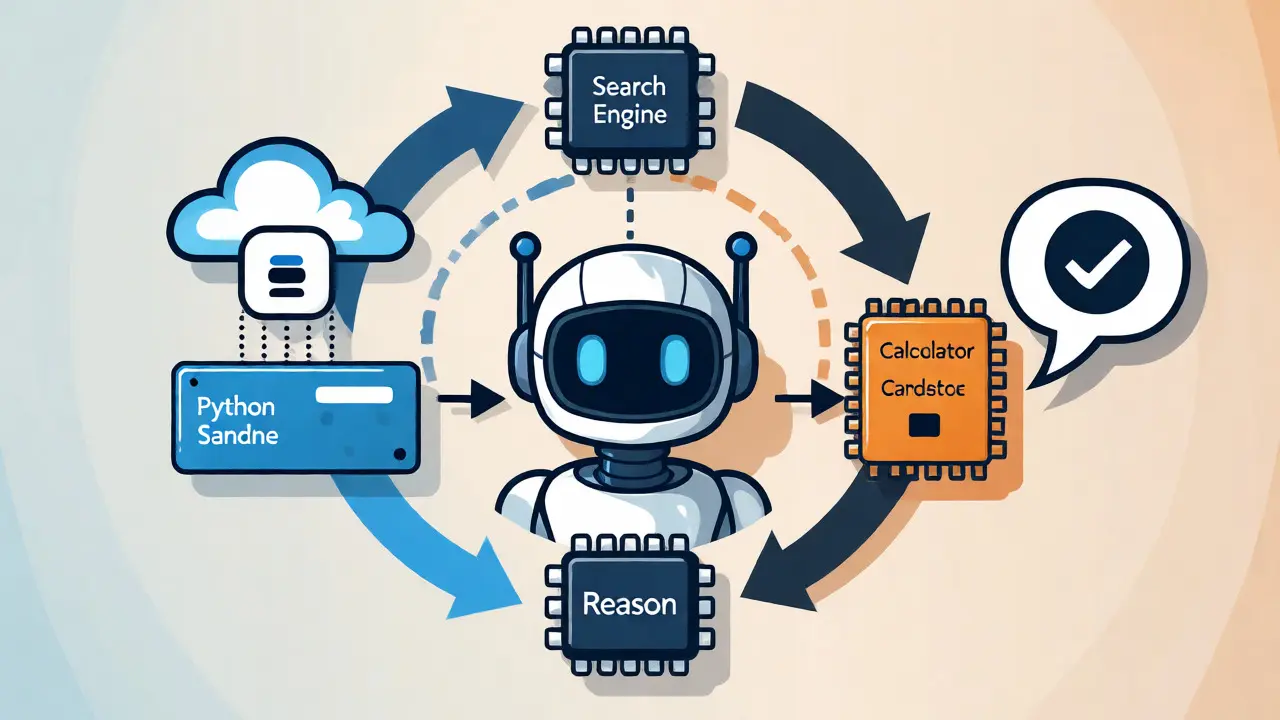
The application executes the task externally. Maybe it runs a Python snippet in a sandboxed environment. Maybe it hits a search API. Once the tool returns the result, the application feeds that data back into the model’s context window. The model then synthesizes the raw data into a natural language answer. This loop-Reason, Act, Observe, Respond-is the core of agentic workflows.
| Tool Type | Primary Function | Solves Which Problem? | Example Implementation |
|---|---|---|---|
| Code Execution | Runs Python/JS in a sandbox | Precise math, data analysis, file processing | OpenAI Code Interpreter, xAI Code Execution |
| Web Search | Retrieves real-time URLs/text | Outdated training data, breaking news | Bing Search API, Perplexity, X Search |
| Calculator | Performs basic arithmetic | Simple numerical errors | Claude Calculator Recipe, Wolfram Alpha |
Code Execution: The Heavy Lifter for Precision
If there is one tool that dramatically boosts perceived intelligence, it’s Code Execution. Tools like OpenAI’s Code Interpreter allow models to write, run, and debug Python code iteratively. Why is this so powerful? Because computers don’t guess. If you ask an LLM to analyze a CSV file with 10,000 rows, it can’t read every line in its head. But it can write a pandas script to load the file, filter the data, and generate a summary.
This capability extends beyond simple math. Modern reasoning models like o3 and o4-mini use code execution to handle complex logic puzzles. They can crop images, rotate charts, or visualize data trends by generating matplotlib plots. If the first code block throws an error, the model reads the traceback, fixes the bug, and tries again. This iterative debugging process mirrors how human developers work, leading to far more reliable outcomes than single-shot text generation.
For developers using xAI SDK, enabling this is straightforward. You specify `code_execution()` in your request parameters. The model handles the rest, deciding when to pause generation, send code to the server, wait for the result, and continue writing. Note that some frameworks, like the Vercel AI SDK, may still require manual handling of these advanced patterns, so check your stack’s compatibility.
Web Search: Breaking the Training Cutoff
While code fixes math, Web Search fixes time. Integrating search APIs allows your LLM to access the live internet. This is critical for queries involving current events, prices, or recent scientific papers.
However, naive search integration can introduce noise. A model might retrieve ten conflicting sources and struggle to synthesize them. The best implementations use hybrid strategies. For instance, xAI’s Grok models combine traditional web search with social media search (X Search). This dual approach captures both authoritative articles and real-time public sentiment. When you activate both tools, the model can cross-reference a news article with Twitter/X discussions to gauge reaction to a policy change.
Here’s a practical heuristic: Use web search for *facts* and code execution for *analysis*. If you need to know "What was the GDP of France in 2025?", search finds the number. If you need to know "How did France’s GDP growth compare to Germany’s over the last decade?", search finds the datasets, and code execution calculates the correlation and generates the chart.
Calculators: The Lightweight Alternative
Do you always need a full Python interpreter? No. For simple arithmetic, spinning up a code environment is overkill. That’s where dedicated Calculator Tools come in. Platforms like Anthropic’s Claude offer recipe-based integrations where the model calls a specialized calculator function for basic operations.
This reduces latency and cost. A calculator API call is faster and cheaper than provisioning a sandboxed Python container. Use this tier for tasks like unit conversions, percentage calculations, or basic financial formulas. Reserve code execution for tasks requiring libraries, loops, or data manipulation.

Implementing Multi-Tool Workflows
The real power emerges when you combine tools. Advanced users don’t just enable one tool; they orchestrate them. Consider a research task: "Analyze the impact of the latest AI regulation on tech stocks."
- Search: The model uses web search to find recent articles on the regulation.
- Extract: It identifies key companies mentioned.
- Search Again: It queries stock market data for those companies.
- Code Execution: It writes Python code to calculate average stock movement post-announcement.
- Synthesis: It combines the qualitative findings from search with the quantitative results from code.
This workflow requires robust state management. The application must track which tool was called, what the input was, and how to feed the output back. With xAI’s server-side tools, much of this is handled automatically. The model manages the chain of thought, pausing only when necessary. For client-side custom tools, you’ll need to build this loop yourself, intercepting the tool call, executing it locally, and returning the result.
Pitfalls and Best Practices
Integrating tools isn’t plug-and-play perfection. Here are common traps:
- Hallucinated Parameters: The model might invent a search query that yields zero results. Always validate inputs before execution.
- Context Window Bloat: Returning huge chunks of HTML or raw data can overwhelm the model’s context limit. Summarize or truncate tool outputs before feeding them back.
- Security Risks: Executing arbitrary code requires strict sandboxing. Ensure your execution environment cannot access sensitive files or network ports unless explicitly allowed.
- Latency Stacking: Each tool call adds delay. Chaining five search queries and two code executions can turn a 2-second response into a 30-second wait. Set timeout thresholds.
To mitigate these, start with clear system prompts. Tell the model exactly when to use each tool. For example: "Use code execution for any calculation involving more than two numbers. Use web search for any question containing 'current', 'latest', or 'today'."
The Future of Agentic AI
We are moving away from chatbots that just talk toward agents that act. As of late 2026, multi-tool usage is becoming standard rather than exceptional. Developers are expanding tool categories beyond search and code to include database queries, email sending, and IoT device controls. The goal is seamless factuality control-where the AI knows what it knows, and more importantly, knows how to find out what it doesn’t.
If you’re building AI applications today, ignoring tool integration means accepting a ceiling on accuracy. By leveraging calculators for precision, search for currency, and code for depth, you unlock a new tier of reliability. Start small: add a search tool to your next prototype. Measure the drop in hallucination rates. Then, add code execution. Watch your analytics capabilities explode.
Does adding tools make my LLM slower?
Yes, initially. Each tool call involves network latency and execution time. However, modern architectures optimize this by running tools asynchronously or caching frequent queries. For complex tasks, the time saved by avoiding multiple failed attempts is often worth the initial delay.
Can LLMs write their own code without a separate tool?
LLMs can write code, but without a code execution tool, they cannot run it. They would have to simulate the execution mentally, which leads to errors in complex scripts. The tool provides the actual runtime environment to verify correctness.
Which provider has the best tool integration right now?
It depends on your needs. OpenAI’s Code Interpreter is highly polished for data science. xAI’s Grok offers strong social media search integration. Anthropic’s Claude provides flexible recipe-based tools. Test all three against your specific use case.
Is it safe to let an LLM execute code?
Only if executed in a secure sandbox. Reputable providers isolate code execution in containers with limited permissions, preventing access to your host system’s file system or network unless explicitly configured.
What happens if the tool fails?
A well-designed agent will catch the error message returned by the tool and attempt to correct its input or try a different approach. If it fails repeatedly, it should fall back to a default response or alert the user.