
Imagine you're chatting with an AI assistant. You type a question, hit enter, and stare at the blinking cursor. If that first word takes more than half a second to appear, your brain registers it as "slow." In the world of Large Language Models, this delay is known as Time-to-First-Token (TTFT). For developers and engineers, reducing this lag isn't just about comfort; it's about keeping users engaged. Recent data shows that effective latency optimization can boost user engagement by up to 35% while cutting infrastructure costs by 20-40%. The goal is simple: make the model feel instant without sacrificing the quality of its answers.
Why Latency Matters More Than Ever
As LLMs move from research labs into production apps like customer support bots and real-time coding assistants, speed has become a critical feature. Users don't care how many parameters your model has if they have to wait three seconds for a response. Industry standards now suggest that TTFT should stay under 200 milliseconds for a satisfactory experience, with top-tier systems achieving first-token delivery in as little as 50ms. When you look at the numbers, the impact is clear. Amazon Bedrock’s latency-optimized inference, for example, reduced P90 TTFT by over 97% for Meta’s Llama 3.1 70B model. That kind of jump transforms a clunky tool into a fluid conversation partner. But getting there requires more than just throwing more hardware at the problem. It involves a strategic mix of software techniques that squeeze every bit of performance out of your existing setup.
Streaming: The First Line of Defense
The most immediate way to improve perceived speed is streaming. Instead of waiting for the entire response to be generated before sending it to the user, streaming delivers text incrementally, token by token. This technique doesn't necessarily make the total generation time shorter, but it drastically reduces the time the user waits for *any* feedback. For conversational interfaces, this is non-negotiable. Frameworks like vLLM use microbatching to process tokenization requests concurrently, ensuring that the stream stays smooth even under load. If you're starting your optimization journey, focus here first. Teams often see a 20-30% improvement in user satisfaction metrics just by enabling proper streaming configurations. It’s the low-hanging fruit that sets the foundation for everything else.
Batching Techniques: Static vs. Dynamic
Once you have streaming in place, the next big lever is batching. GPUs are expensive, and they work best when they're fully utilized. Batching groups multiple inference requests together so the GPU can process them in parallel. However, not all batching is created equal. Static batching groups requests into fixed-size batches. It’s simple but inefficient because if one request in the batch finishes early, the GPU sits idle waiting for the others. Enter dynamic batching, also known as continuous or in-flight batching. This approach manages requests in real-time, swapping finished requests out and new ones in immediately. According to benchmarks from vLLM, dynamic batching can maximize GPU utilization by 30-50% compared to static methods. In practical terms, this means you can handle significantly more users on the same hardware without increasing tail latency. For high-throughput API services, this is where the real money is saved.
| Feature | Static Batching | Dynamic (Continuous) Batching |
|---|---|---|
| Request Handling | Fixed groups | Real-time management |
| GPU Utilization | Lower (idle time) | Higher (30-50% gain) |
| Best For | Simple, uniform workloads | Variable-length prompts, high traffic |
| Complexity | Low | Medium-High |

KV Caching: Eliminating Redundant Work
Here’s a fact that surprises many engineers: LLMs recalculate the same attention vectors over and over again for each new token. Key-Value (KV) caching solves this by storing these previously calculated vectors in memory. When the model generates the next token, it pulls the cached values instead of recomputing them. This can provide a 2-3x speed improvement for repetitive queries, which is common in customer support scenarios where similar questions arise frequently. However, KV caching comes with a catch: memory. A 7B parameter model might require 20-30GB of GPU memory just for the cache. If you push past 80% memory utilization, you risk fragmentation and out-of-memory errors. Tools like Redis-based implementations help manage this, but you need to monitor eviction policies closely. One Reddit user noted that aggressive caching once caused hallucinations in their system due to stale data being retrieved. So, while powerful, KV caching demands careful validation.
Advanced Hardware Parallelism: Tensor Sharding
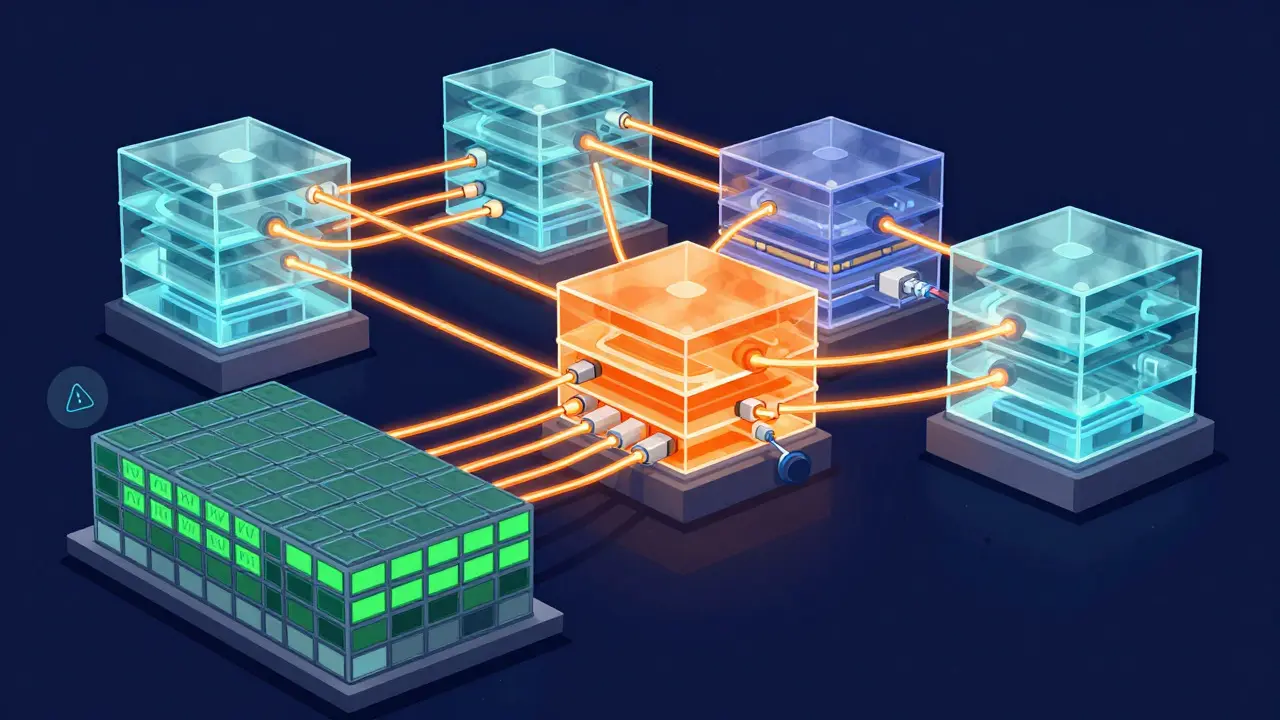
When software optimizations hit a ceiling, you turn to hardware. Tensor parallelism splits the model's layers across multiple GPUs, allowing them to work on different parts of the computation simultaneously. This is particularly effective for large models like those with 70B+ parameters. Data from Ghost’s 2024 analysis shows that increasing parallelism from 2x to 4x can cut token latency by 33% for larger batch sizes. However, there’s a trade-off. Communication overhead between GPUs can consume 15-25% of compute resources. At small batch sizes (like 1), the gains are minimal-only about 12%. Therefore, tensor parallelism shines in high-volume environments where you’re processing many requests at once. It’s not a silver bullet for single-user interactions, but for enterprise-scale deployments, it’s essential. Implementing this correctly requires specialized knowledge in distributed systems and CUDA, often taking teams 3-6 weeks to master.
Putting It All Together: A Practical Roadmap
You don’t need to implement all these techniques at once. A phased approach yields the best results with the least risk. Start with streaming to fix the immediate user experience issue. Once that’s stable, introduce dynamic batching to improve throughput and reduce per-request costs. Finally, layer in KV caching if your workload has repetitive patterns. Each step adds complexity, so test thoroughly at each stage. Remember that over-optimization can create brittle systems. Dr. Alan Chen from Tribe.ai warned that 22% of production failures in his client base stemmed from aggressive caching policies that didn’t handle edge cases. Keep your monitoring tight, and don’t sacrifice reliability for raw speed. The aim is a balanced system that feels fast, runs cheaply, and remains robust under pressure.
Frequently Asked Questions
What is the ideal Time-to-First-Token (TTFT) for an LLM?
For most user-facing applications, a TTFT under 200ms is considered acceptable. Leading implementations aim for 50ms or less to ensure a truly responsive feel. Delays exceeding 500ms are generally perceived as sluggish by users.
Does KV caching always improve speed?
Not always. KV caching provides significant speedups (2-3x) for repetitive queries but requires substantial GPU memory. If your prompts are highly unique or short, the overhead of managing the cache might outweigh the benefits. It is most effective for long-context or repetitive workloads.
Is dynamic batching worth the implementation effort?
Yes, for any service handling variable-length prompts or moderate-to-high traffic. It typically offers a 30-50% increase in GPU utilization compared to static batching. While it requires more complex scheduling logic, the cost savings in infrastructure usually justify the initial development time.
How does tensor parallelism affect small batch sizes?
The gains are minimal. At a batch size of 1, tensor parallelism may only reduce latency by around 12% due to communication overhead between GPUs. It becomes highly effective at batch sizes of 16 or higher, where latency reductions can reach 33%.
What is the biggest risk of aggressive latency optimization?
System brittleness. Over-tuning for speed can lead to unexpected behavior, such as hallucinations from stale cache data or increased tail latency during traffic spikes. It’s crucial to maintain robust error handling and monitoring to catch these edge cases before they impact users.